ScraperAPI Review
ScraperAPI offers a polished self-service experience and an efficient way to scrape semi-protected websites.
Use the code x to get y discount.
ScraperAPI is a well-known web scraping API. It competes with a host of brands named after dogs, fish, bees, and other creatures. It also features a surprisingly capable no-code platform that bears resemblance to Apify.
The market is pretty crowded nowadays, even if you’re not into animals. So, what sets this provider apart? To find the answer, we’ll give you a comprehensive overview of ScraperAPI’s background, functionality, scraping performance, and user experience. Let’s go!
General Information
- Country: US
- Founded: 2018
- Employees (LinkedIn): 25-50
- Services: Web scraping API, no-code scraper
- Price segment: Cheap to premium, depending on the website type
- Payment methods: Credit card, PayPal
- Trial: 5K requests for 7 days, 7-day refund
ScraperAPI is a US-based company that’s been in the market for more than seven years now. Its original and still the main product is an API for scraping the web (which admittedly makes the brand name ingenious).
The provider was founded by Daniel Ni; after three years, it got acquired by saas.group, a hands-off fund that buys companies with revenues between two and ten million dollars. Currently, it employs over 30 people and generates over $7M per year, making ScraperAPI one of the larger APIs outside of market leaders like Oxylabs, Bright Data, and Zyte.
As a business, ScraperAPI seems to target individual developers and small to medium businesses. This is evident looking at the pricing plans, focus on the self-service experience, and credit-based pricing.
Like most established web scraping companies, in late 2025 ScraperAPI was rallying to catch up with the new crop of US-based providers like Firecrawl by introducing crawling, AI parsing, and similar features. As it stands, we see ScraperAPI as a solid and active – though not quite the most trailblazing – choice.
News about ScraperAPI
-
By Adam Dubois
- Conferences
-
- Provider News
-
- Provider News
Web Scraping API
- General-purpose unblocking: ✅
- Structured data: Website-specific endpoints, LLM-friendly output formats
- Discovery: Crawler, website-specific endpoints
At its core, ScraperAPI is a general-purpose unblocker, meant to bypass website protection systems. However, it also includes structured data endpoints for Google and some other, primarily e-commerce websites, as well as a crawler (which was in beta when we wrote this in late 2025).
Integration Methods
| Real-time API | curl “http://api.scraperapi.com?api_key=APIKEY&url=https://example.com&render=true&country_code=us” |
| Batch API | curl -X POST -H “Content-Type: application/json” -d ‘{“apiKey”: “xxxxxx”, “urls”: [ “https://example.com/page1”, “https://example.com/page2” ]}’ “https://async.scraperapi.com/batchjobs” |
| Proxy | curl -x “http://scraperapi.render=true.country_code=true:[email protected]:8001” -k “https://example.com” |
| SDK | from scraperapi_sdk import ScraperAPIClient client = ScraperAPIClient(‘APIKEY’) result = client.get(url = ‘https://example.com’, params={‘render’: True, ‘premium’: True}) |
| MCP server | Please scrape this <URL>. If you receive a 500 server error, identify the website’s geo-targeting and add the corresponding country_code to overcome geo-restrictions. If errors continue, upgrade the request to use premium proxies by adding premium=true. |
ScraperAPI offers plenty of integration options. The main one is probably the real-time API where you send GET requests and receive data over an open connection. To customize requests, you append parameters to the URL; some can also be passed as headers.
In addition, the API supports batch requests, where you send an array of URLs and wait for the job to finish. This method accepts huge inputs – up to 50K per batch. ScraperAPI provides endpoints for checking the status and downloading the output; results are stored for up to 72 hours (with guaranteed storage of 24 hours).
It’s also possible to use the API as a proxy server. This way, you append request parameters to the username.
The fourth method is using ScraperAPI through an SDK. When we wrote this, the provider had libraries in five programming languages (Python, NodeJS, PHP, Ruby, and Java), so most developers should be able to use them.
Finally, ScraperAPI can communicate with large language models through an MCP server. Its main function is to unblock content, leaving data extraction to the model.
API Parameters
| Geolocation |
|
| Request customization |
|
| Browsers |
|
| Anti-bot |
|
| Other |
|
ScraperAPI offers various options to customize requests. You can choose the device type, send your own headers, and establish sessions.
Geo-targeting is also available, but it’s relatively limited compared to the competition. To specify a country outside of the US, you’ll need to spend at least $300. Even then, the list includes only around 70 locations, with no option for more granular (e.g. city-level) targeting. As such, ScraperAPI isn’t fit for scraping local data, unless the target is Amazon.
The provider allows sending requests through a browser. This is done through a manual toggle. You can give basic instructions, though no more than three or four actions per request. For complex scenarios, it’s better to use tools like unblocking browsers that can be controlled with Playwright and similar libraries.
For protected websites that refuse to open normally, ScraperAPI has two extra bypassing tiers: premium and super premium proxies. They improve the success rate at the expense of your wallet. The ultra premium option caches results automatically, though the freshness window is rather small (10 minutes), and the feature can be disabled.
Website-Specific Endpoints
Availability (Dec ‘25)
- Amazon: Search, product, offers
- eBay: Search, product
- Google: SERP, news, jobs, shopping, maps
- Walmart: Search, category, product, reviews
- Redfin: Agent details, sale & rent listings, listing search
At the end of 2025, ScraperAPI had over a dozen specialized endpoints for five websites. Compared to the general-purpose API, they provide structured data and accept special parameters. For example, Amazon Search lets you enter a search query directly instead of the full URL, while Product retrieves data based on ASINs.
Output & Delivery
- Methods: Open connection, webhook
- Data parsing: Available for website-specific endpoints, manual selectors
- Output formats: HTML, Markdown, Text, JSON*, CSV*
- Screenshots: ✅(PNG)
* structured data endpoints only
ScraperAPI returns results over an open connection or webhook. Alternatives like Oxylabs or Nimble offer direct integration with cloud storage platforms; it’s not available here.
Outside of specialized endpoints, you’ll have to make do with raw output. However, the provider can transform the HTML to LLM-friendly formats, namely Markdown and plain text. A request can return only one format at a time.
One missing feature is the ability to retrieve XHR requests, which are invaluable when scraping internal website APIs.
Because the API supports headless browsing, it can also fetch a screenshot of a page. The output is always a PNG of a full page. You can’t choose, for example, to only get the viewport or a specific selector.
Pricing Plans
- Model: Subscription
- Format: Credits (up to 75 per request)
- Starting price: $49 for 100k credits & 20 concurrency
- Upsells: More locations, concurrency, longer retention of statistics
- Trial: 5,000 requests for 7 days
ScraperAPI bases its pricing model on subscription plans. The default duration is a month; yearly contracts fetch a 10% discount.
There are only four public pricing plans that range from $49 to $475. Without paying as you go, the entry price is a bit steep. The biggest plan, on the other hand, is too small for enterprise needs, putting ScraperAPI in the range of small to medium businesses.
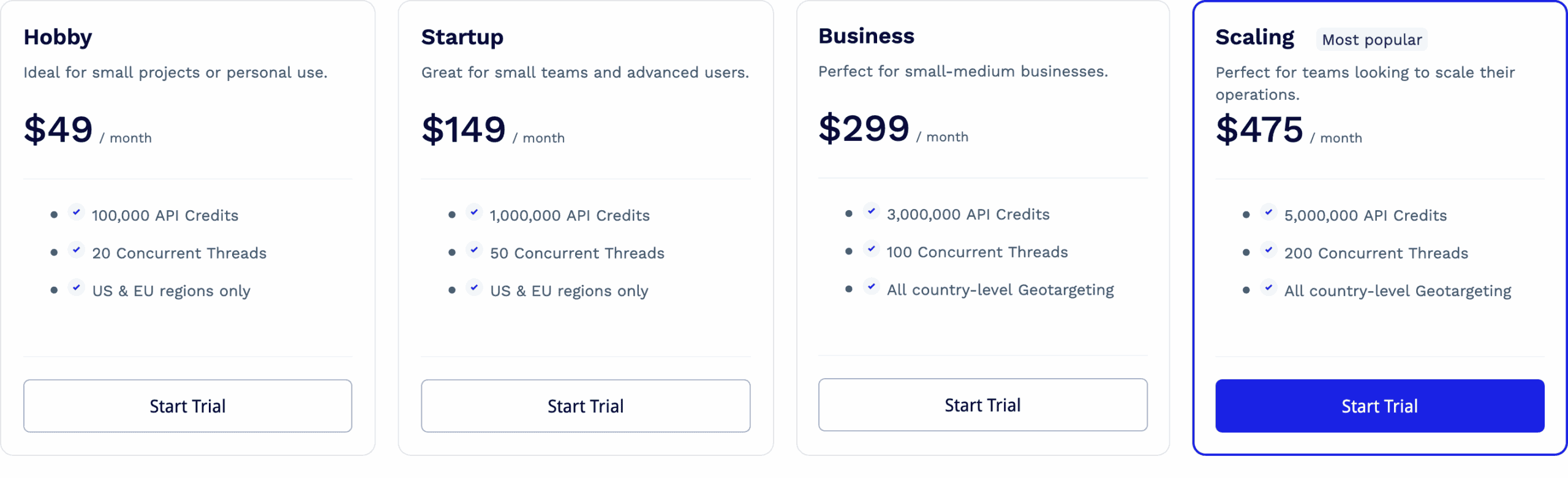
Aside from unlocking better rates, the plans differ in available features. One is concurrency; the starting rate is 20 threads, which some may find too low. Another differentiator is geo-targeting; the two entry plans let you choose between the US or EU. The third is data retention: it jumps from two weeks to six months once you commit $300 or more.
ScraperAPI uses a system of credits. A credit’s price is very affordable compared to most alternatives; however, each premium option – such as enabling JavaScript rendering, premium proxies, or even targeting specific websites – imposes a multiplier. On one hand, all these toggles can be confusing to master; on the other hand, it’s good to have options: for example, whether to use simpler settings and retry more, or just go for the ultimate configuration.
The cost between two requests can differ by up to 75 times. Even with enterprise plans, ultra-premium domains will never charge under $3/1K requests. As such, ScraperAPI isn’t the most economical option for websites like G2 or Shein, which require much effort to unblock.
| General rates | Special websites |
|
|
Fortunately, the provider has implemented several safeguards to keep spend manageable. For one, the API playground on the dashboard shows how much you’ll spend for every request. Then, you can force a spend limit per scrape. We’re not sure how the latter option really works, as you configure all the credit-multiplying parameters manually.
Here’s how ScraperAPI compares with other web scraping APIs in its market segment at $500 spend:
| ScraperAPI | Decodo | ScrapingBee | Zenrows | |
| Cheapest CPM* | $0.1 | $0.77 | $0.08 | $0.08 |
| Costliest CPM | $7.13 | $0.77 | $6.23 | $2.08 |
* price per thousand requests
For those who want to try out the service, ScraperAPI offers a free plan with 5,000 credits. There’s also a generous no-questions-asked refund that you can claim within seven days.
Performance Benchmarks
We last tested ScraperAPI in October-November 2025, for our annual report on web scraping APIs. We scraped 6,000 URLs from each of 15 protected websites, sending two and then ten requests per second.
Note that ScraperAPI limits both concurrent threads and the number of rendered requests you can make. The former depends on your pricing plan; the latter is set at 10 req/s.
Average success rate
| Website | 2 req/s | 10 req/s |
| Allegro (products) | 61.13% | 43.18% |
| Amazon (products) | 96.03% | 95.56% |
| ChatGPT (prompt replies) | 84.07% | 61.60% |
| G2 (reviews) | 99.97% | 99.85% |
| Google (SERP) | 99.97% | 98.50% |
| Hyatt (search) | 0% | 0% |
| Immobilienscout24 (listings) | 91.59% | 93.82% |
| Instagram (profiles) | 35.00% | 51.16% |
| Leboncoin (listings) | 71.11% | 0% |
| Lowe’s (products) | 0% | 0% |
| Nordstrom (categories) | 96.70% | 97.40% |
| Shein (products) | 22.26% | 0% |
| Walmart (products) | 89.67% | 99.24% |
| YouTube (transcripts) | 94.88% | 95.44% |
| Zillow (listings) | 91.90% | 97.26% |
| Average | 68.95% | 62.20% |
Comparison with other providers
Considering how protected some of these websites are, ScraperAPI did well. It couldn’t unblock Hyatt, Lowe’s, or Shein well – but then again, neither could the majority of our tested scraping APIs. The Instagram performance was a little weak too, at least when downloading the HTML pages of public profiles.
Some of the most popular web scraping targets like Google or Amazon didn’t pose an issue. And at least in our test, ScraperAPI did a stellar job with G2, which is a fickle and problematic target. All in all, the provider came out strong.
Average response time of the fastest run
| Website | Successful requests | Failed requests |
| Allegro (products) | 18.79 s | 53.02 s |
| Amazon (products) | 4.99 s | 2.27 s |
| G2 (reviews) | 2.85 s | 56.77 s |
| Google (SERP) | 3.72 s | 56.25 s |
| Hyatt (search) | – | – |
| Immobilienscout24 (listings) | 13.48 s | 44.64 s |
| Instagram (profiles) | 30.30 s | 50.44 s |
| Leboncoin (listings) | 11.37 s | 32.25 s |
| Lowe’s (products) | – | – |
| Nordstrom (categories) | 3.27 s | 8.92 s |
| Shein (products) | 21.13 s | 50.53 s |
| Walmart (products) | 10.60 s | 11.92 s |
| YouTube (transcripts) | 2.13 s | |
| Zillow (listings) | 9.96 s | 54.64 s |
| Average |
Comparison with other providers (successful requests)
Judging purely by the response time of successful requests, ScraperAPI looked good compared to its peers. However, it opened popular e-commerce websites like Allegro, Amazon, and Walmart slower than average. It’s also evident the provider retries requests multiple times before ultimately giving up.
Number of consecutive results per hour
What if we combined the success rate and response time metrics to see how many pages we could open per hour, making one request after another? This scenario puts ScraperAPI in the middle of the pack, which is still a decent result.
User Experience
If there’s one thing that ScraperAPI has got down, it’s user experience. Let’s have a look at its dashboard, API playground, and documentation.
Registration
To register with ScraperAPI, you’ll need an email address and a password. The registration wizard will then ask you about your role, use case, and similar basic information, but it’s not necessary to entertain it. Alternatively, you can use a Google or GitHub account.
It’s interesting that ScraperAPI requires ticking a checkbox where you agree to “scrape in compliance with the Terms and Conditions of the website you intend to scrape”. The process of web scraping inherently doesn’t go well with the wishes of webmasters, so it sounds more like a legal cop-out.
Dashboard
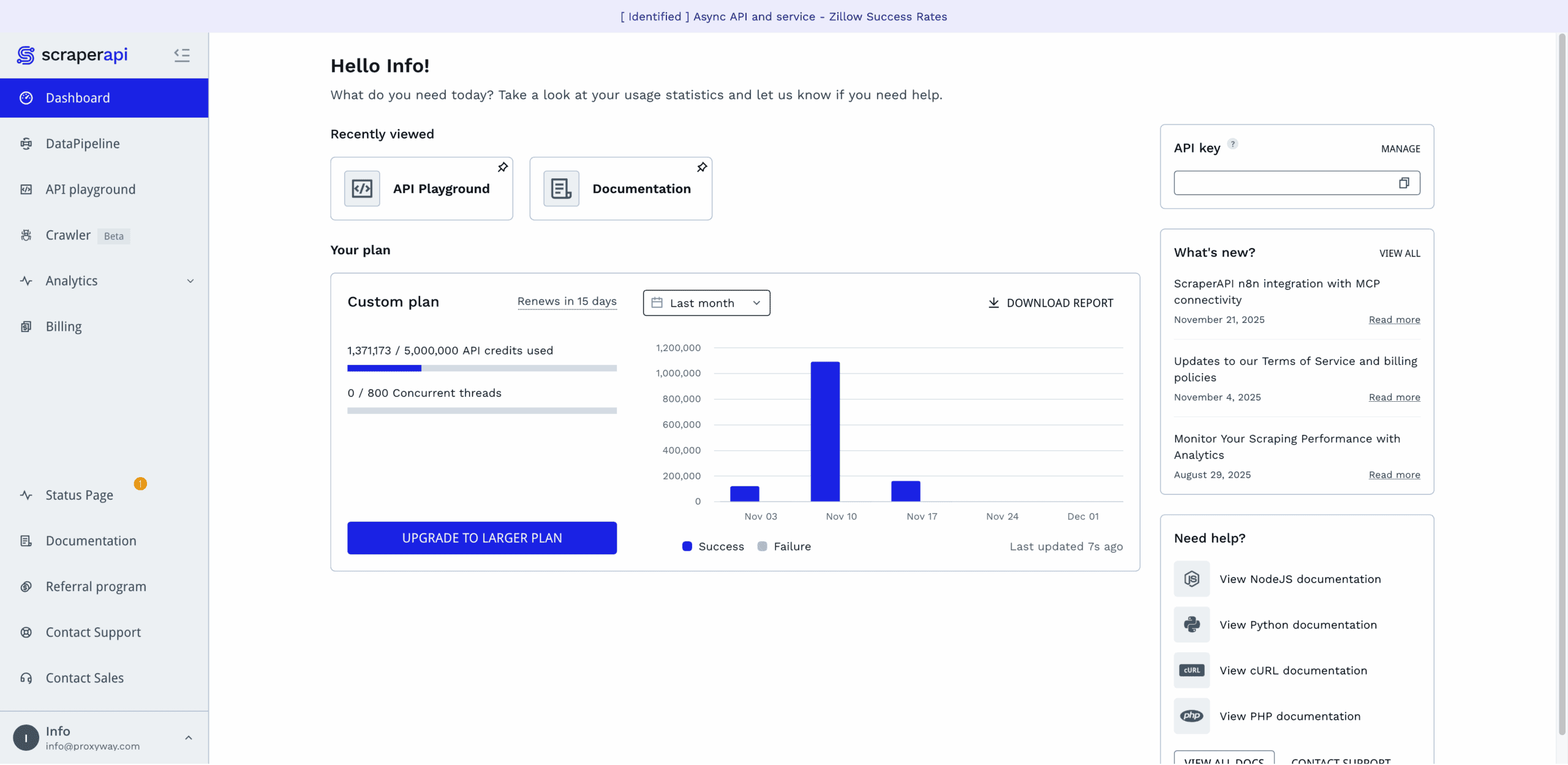
ScraperAPI has a lovely dashboard. It lets you buy and manage plans, test the API, get detailed usage statistics, and reach the documentation. The dashboard is available in English only.
The dashboard’s home page gives a quick view of the relevant information: credit usage, the API key, product news, and links to the documentation. There’s also a neat “recently viewed” widget that surfaces and lets you pin the pages you frequently open.
Everything else is behind various tabs in the side navigation. The top half is for interacting with the platform, and the bottom half is for getting help. Everything’s clear and neat.
Perhaps the only thing that’s missing is the separate profile page. You can change the password and get a new API key through a pop-up in the navigation. But, for example, billing details and even the option to delete the account are hidden under Billing.
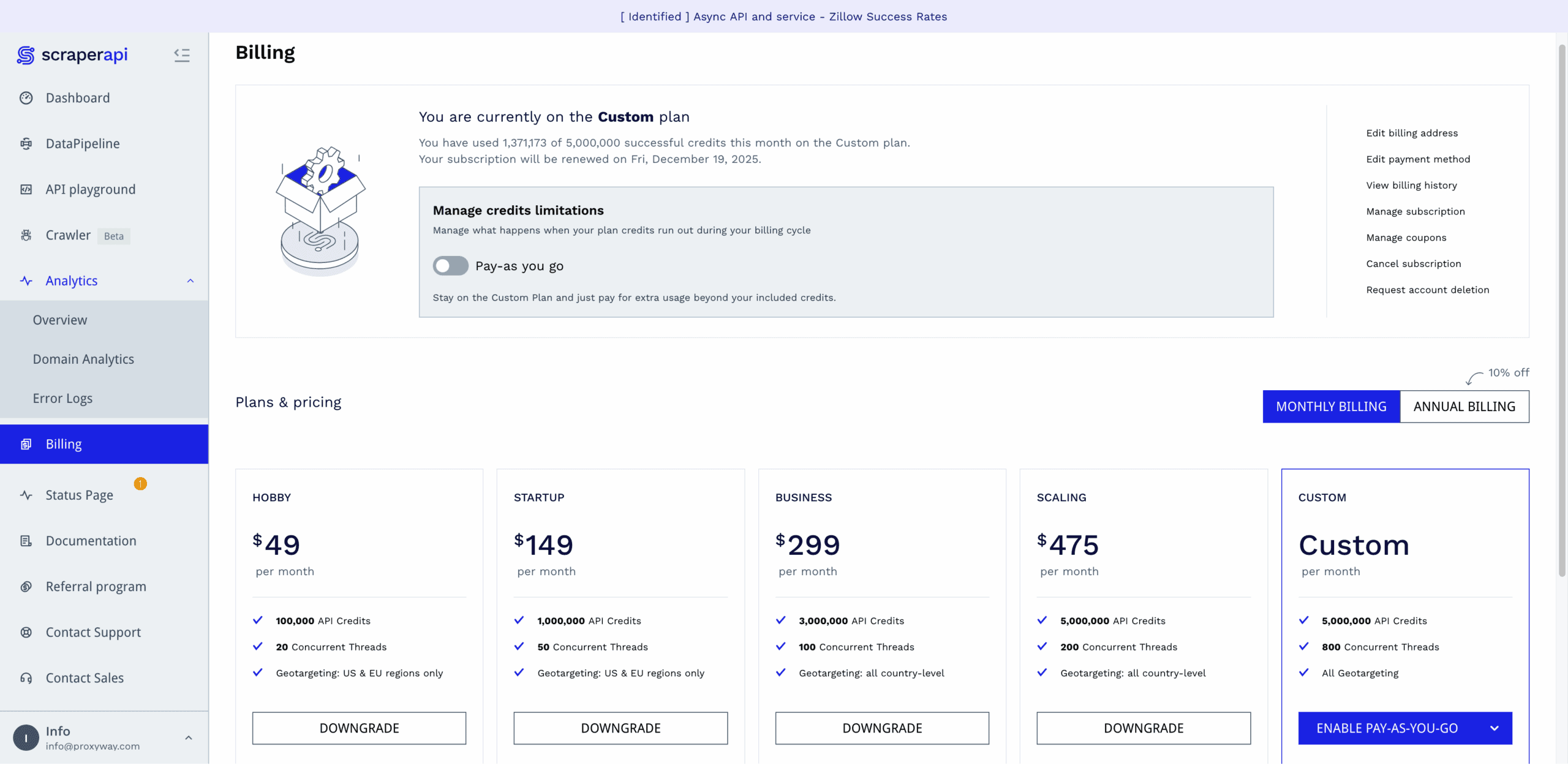
ScraperAPI has a separate tab for all billing-related information. There, you’ll be able to see your current plan (along with its usage and expiration dates), edit your payment and billing details, fetch invoices, downgrade or upgrade the subscription.
The provider lets you manually upgrade the subscription or set up automatic renewal at 95% or 100% usage. In addition, you can enable paying as you go at a fixed rate, with the option to set spending caps.
All in all, the subscription management here is well thought out. Some of the options can be hard to notice due to their tiny font, but that’s a minor issue.
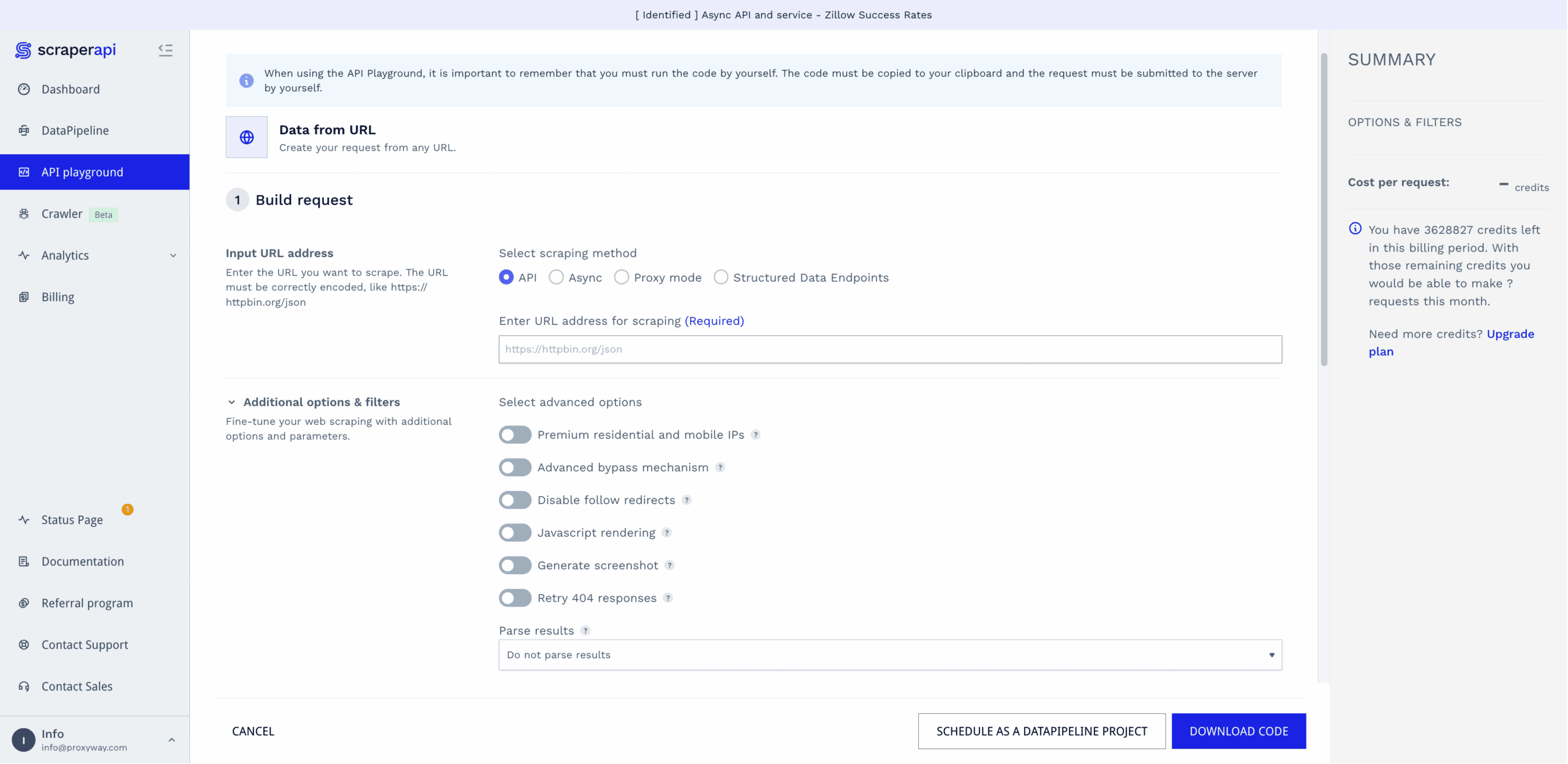
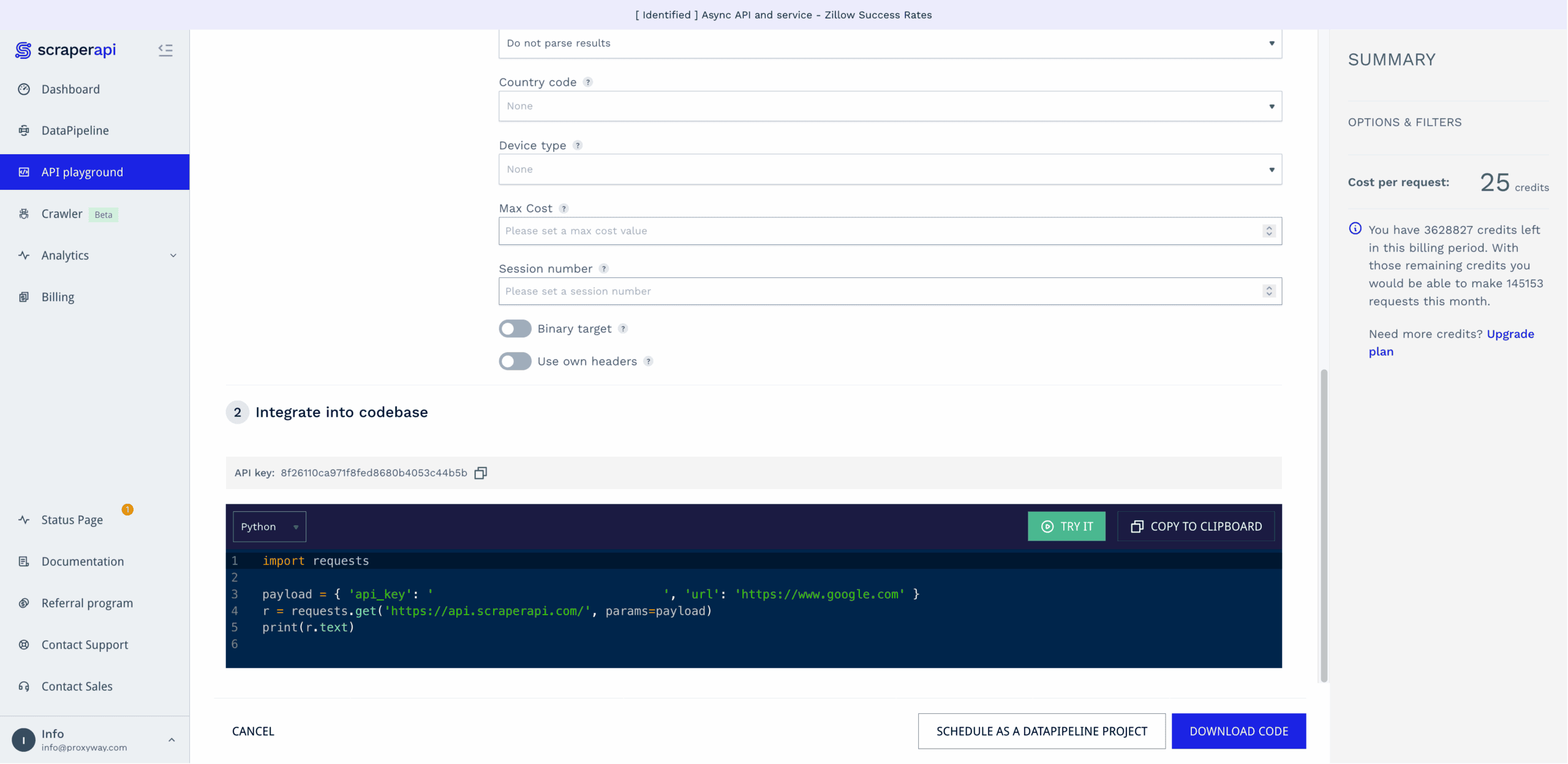
The dashboard includes a playground for testing API requests before integrating them into your code.
It’s a straightforward affair: step one involves selecting the scraping method (real-time, async, etc.), entering the URL, and enabling optional parameters. Step two generates a code sample in six programming languages.
The playground lets you run requests directly. You get to see the response code, HTML output, and cost per request. This part isn’t as convenient as it could be – it lacks browser preview, and it’s never fun to wade through spaghetti HTML. Another headscratcher is that you can opt to use your own headers, but there’s no input field to actually add them.
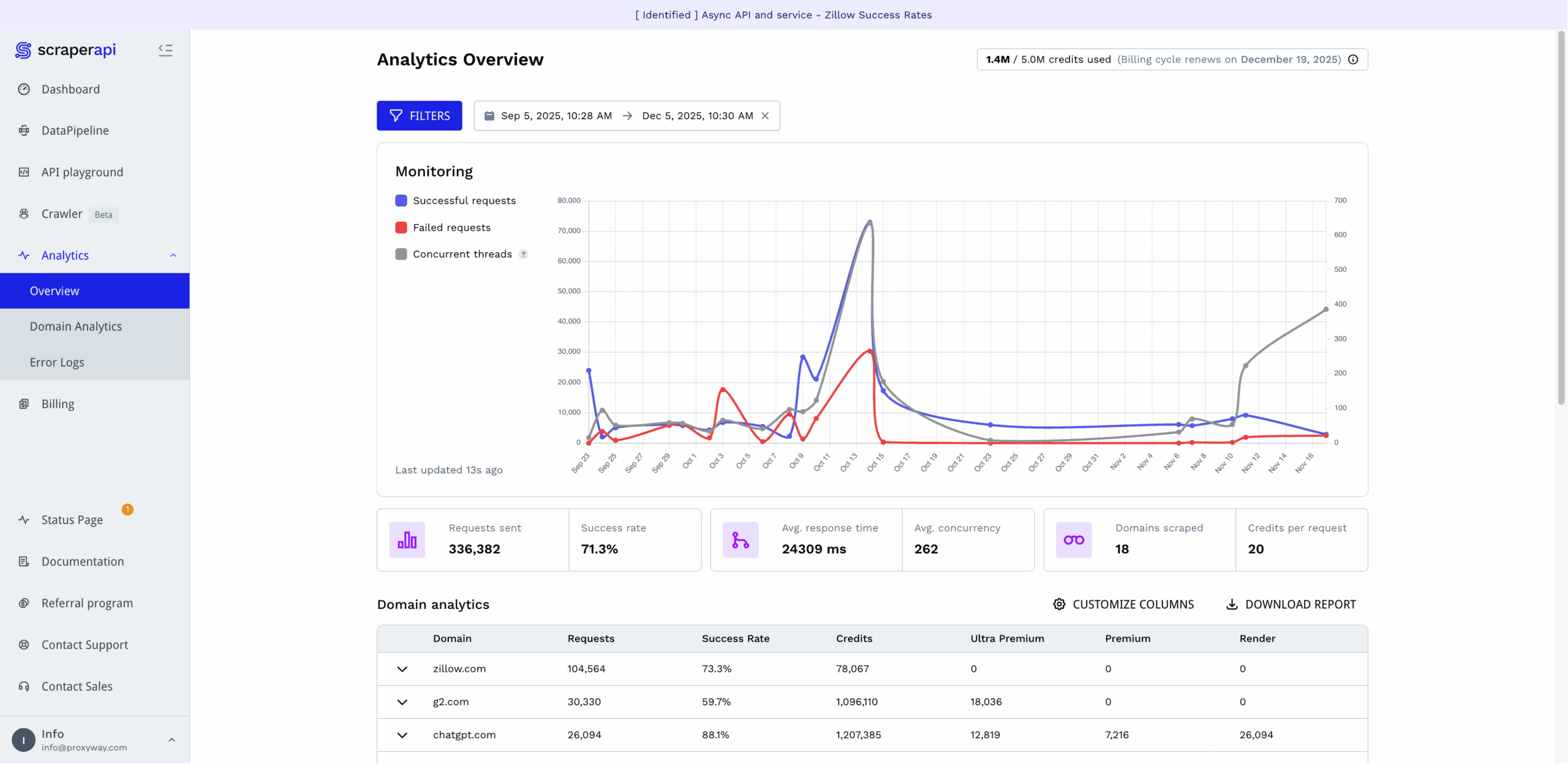
ScraperAPI rebuilt its observability tools in mid-2025, giving them big improvements.
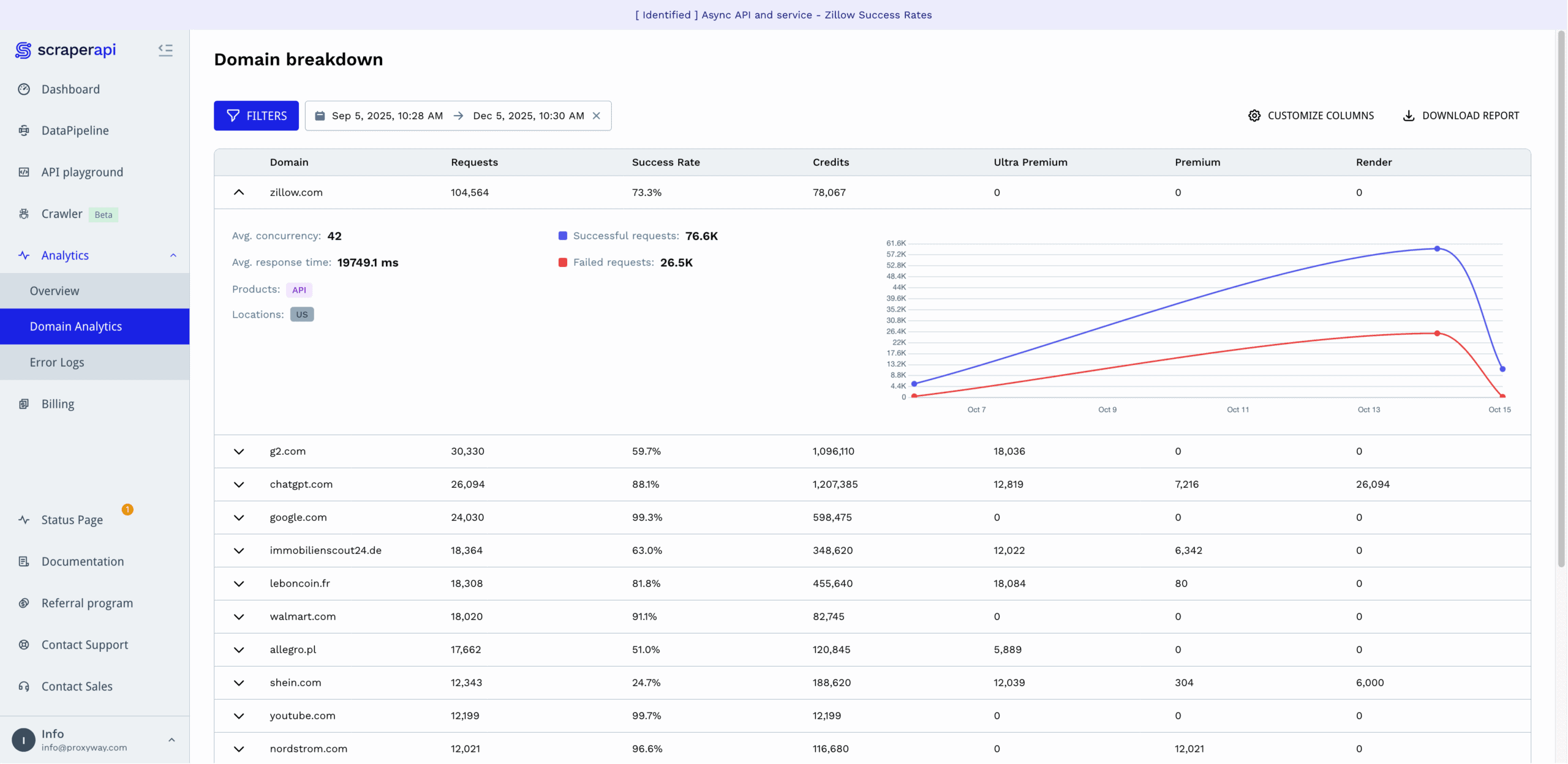
The Analytics hub graphs successful and failed requests, as well as concurrent threads. Below it, you get the main metrics, including the total number of requests made, success rate, response time, average concurrency, number of scraped domains, and average credit cost.
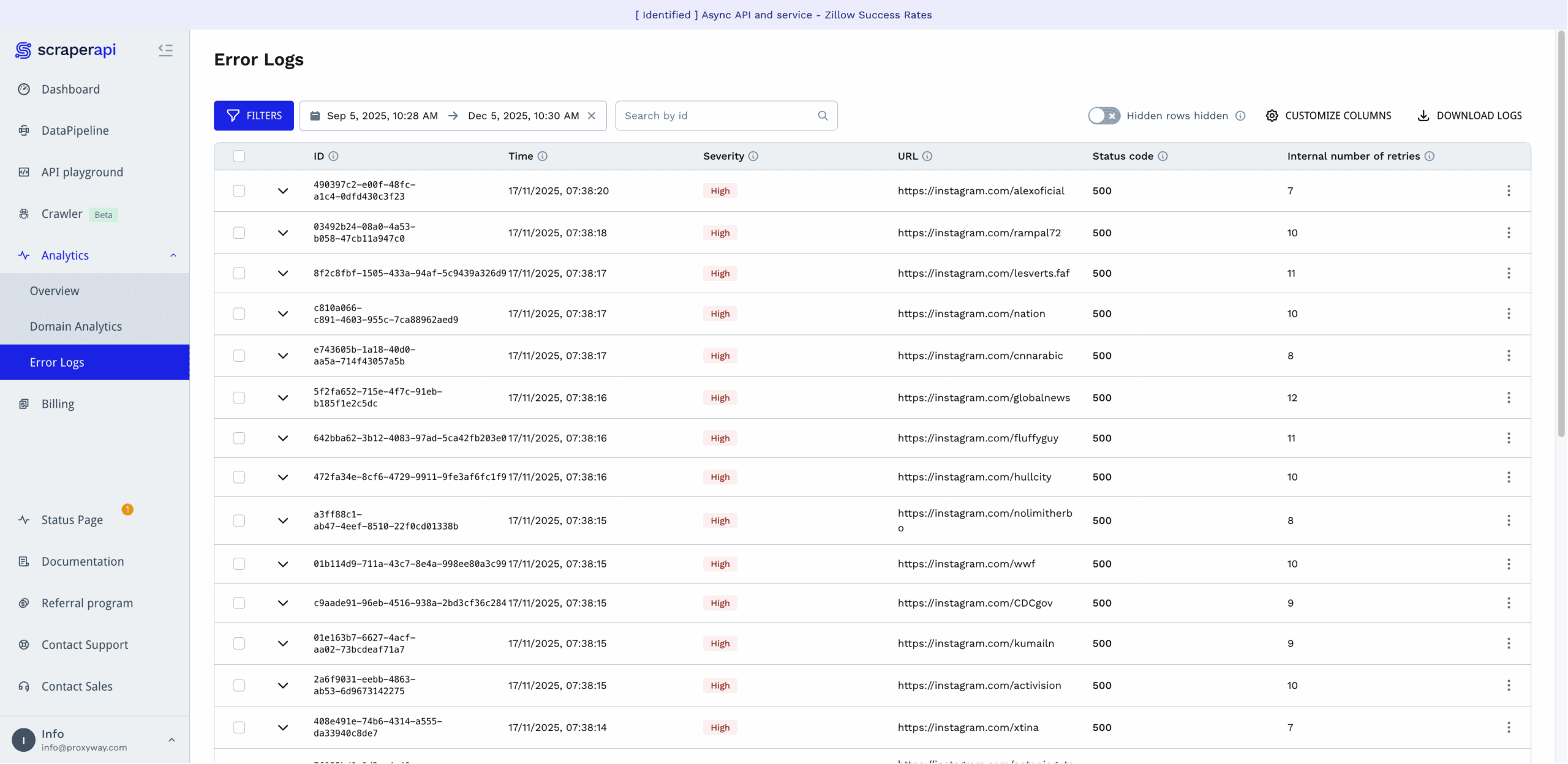
For those who want to dig deeper, ScraperAPI provides analytics per domain, which also show how many of the requests required rendering, premium, or ultra premium proxies. There are also per-request error logs showing the status code, internal number of retries, and severity of the error. They’re tagged with IDs, so you can reference the error to ScraperAPI’s support.
The provider lets you select from time frames starting with the last hour and going back to six months. You’re free to specify a custom range, too.
Finally, there’s an option to filter statistics by product type, parameters, domains, and locations. However, it didn’t work when we last tried it in late 2025.
No-Code Platform
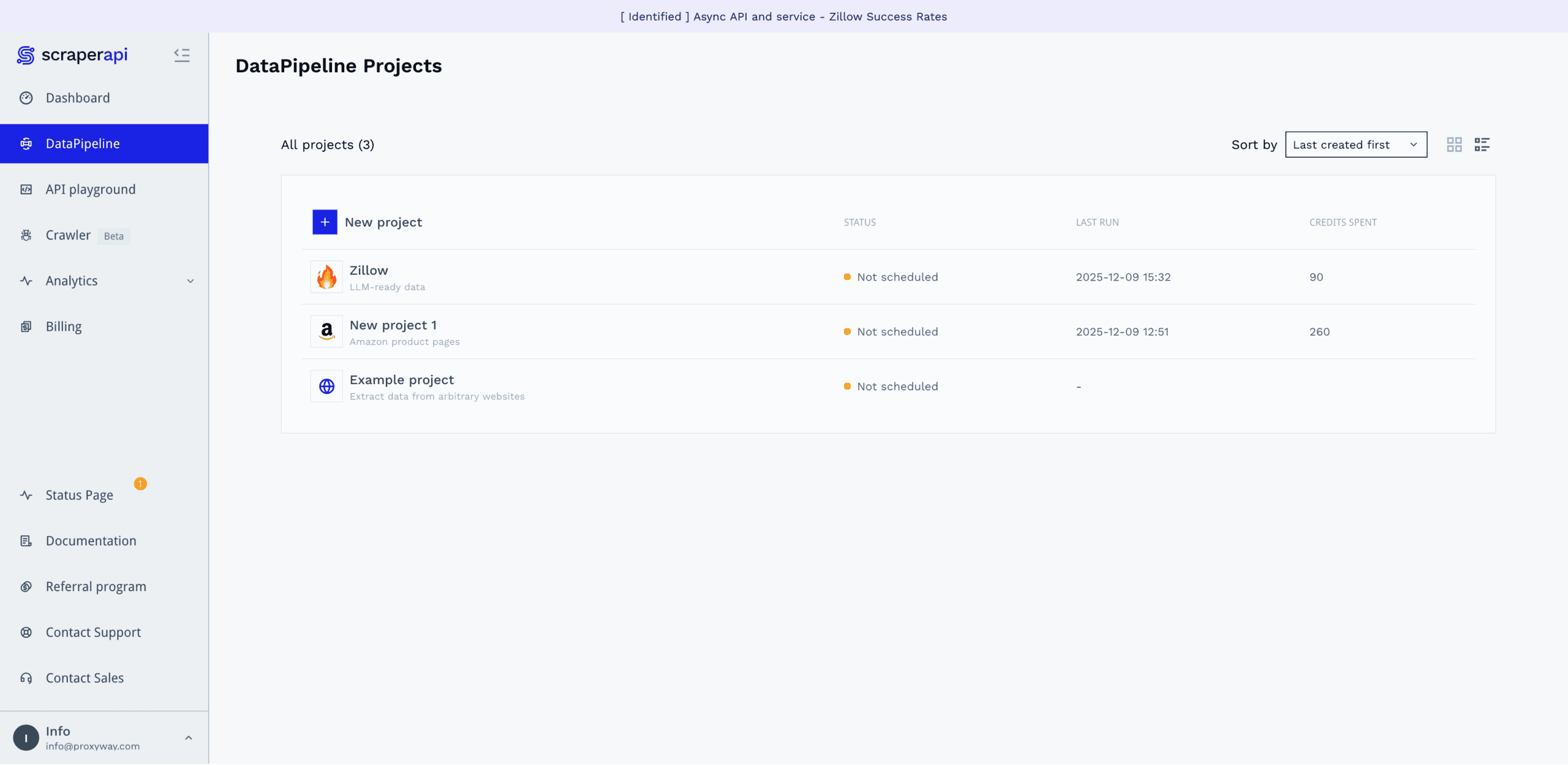
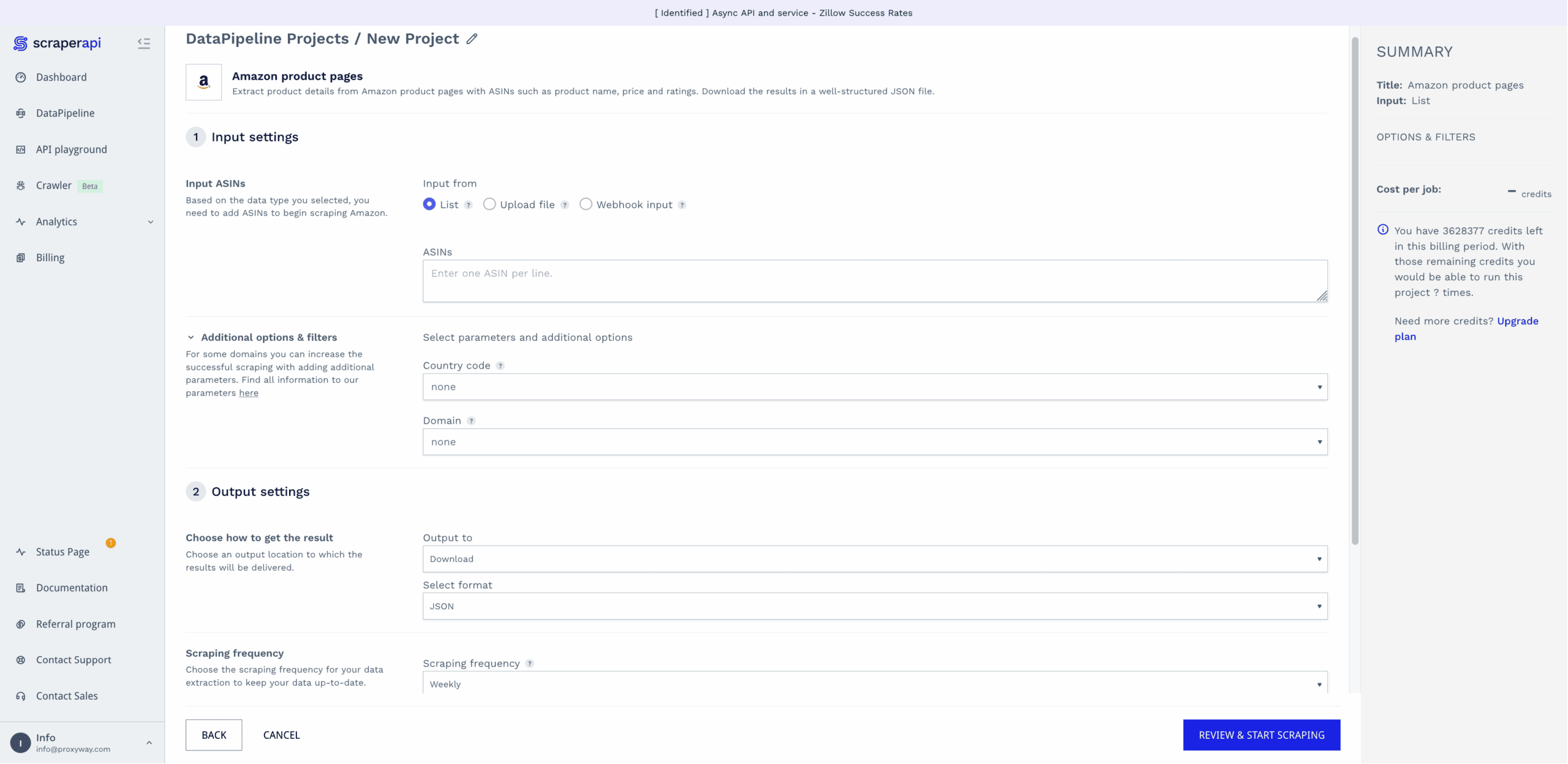
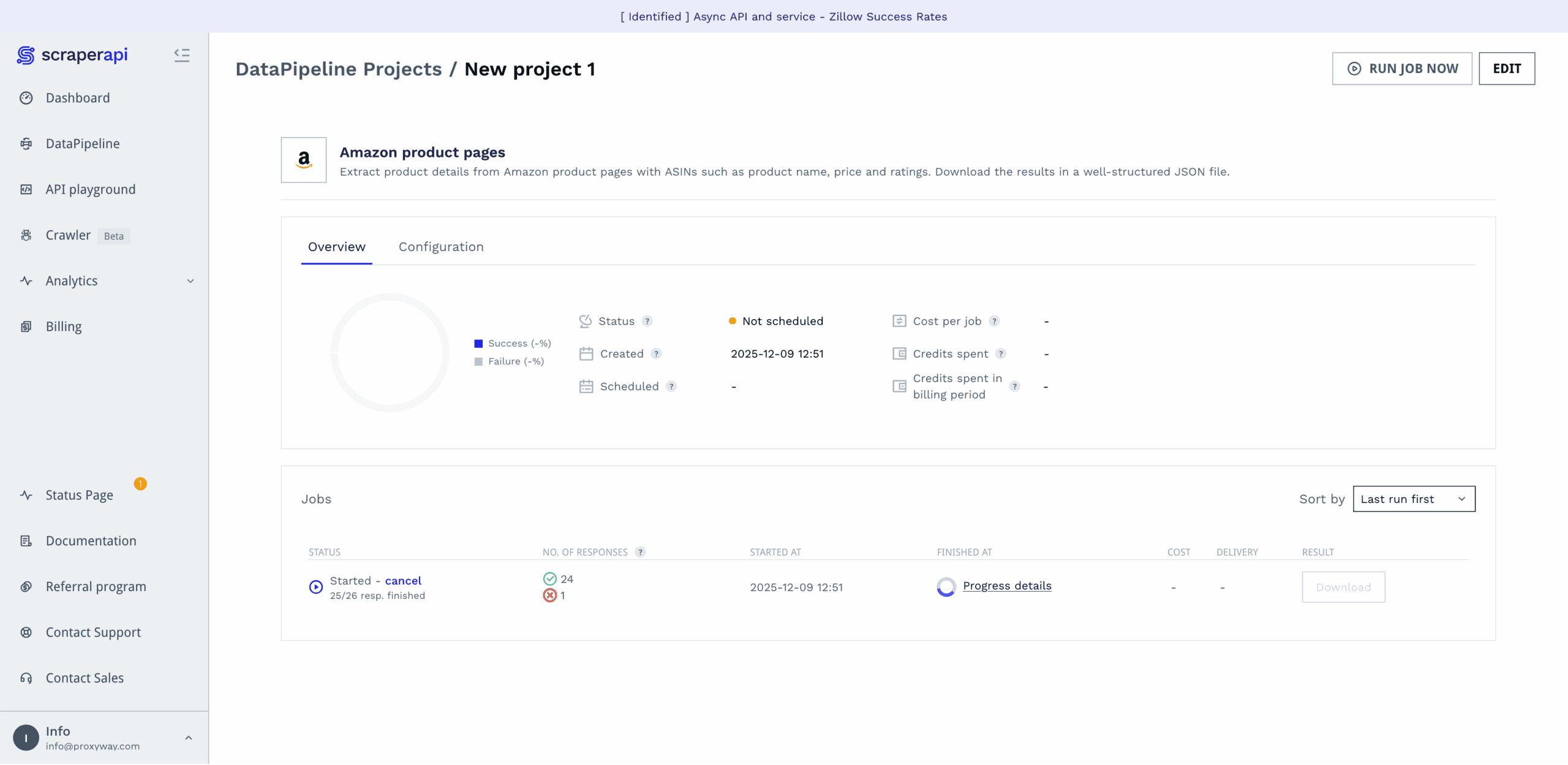
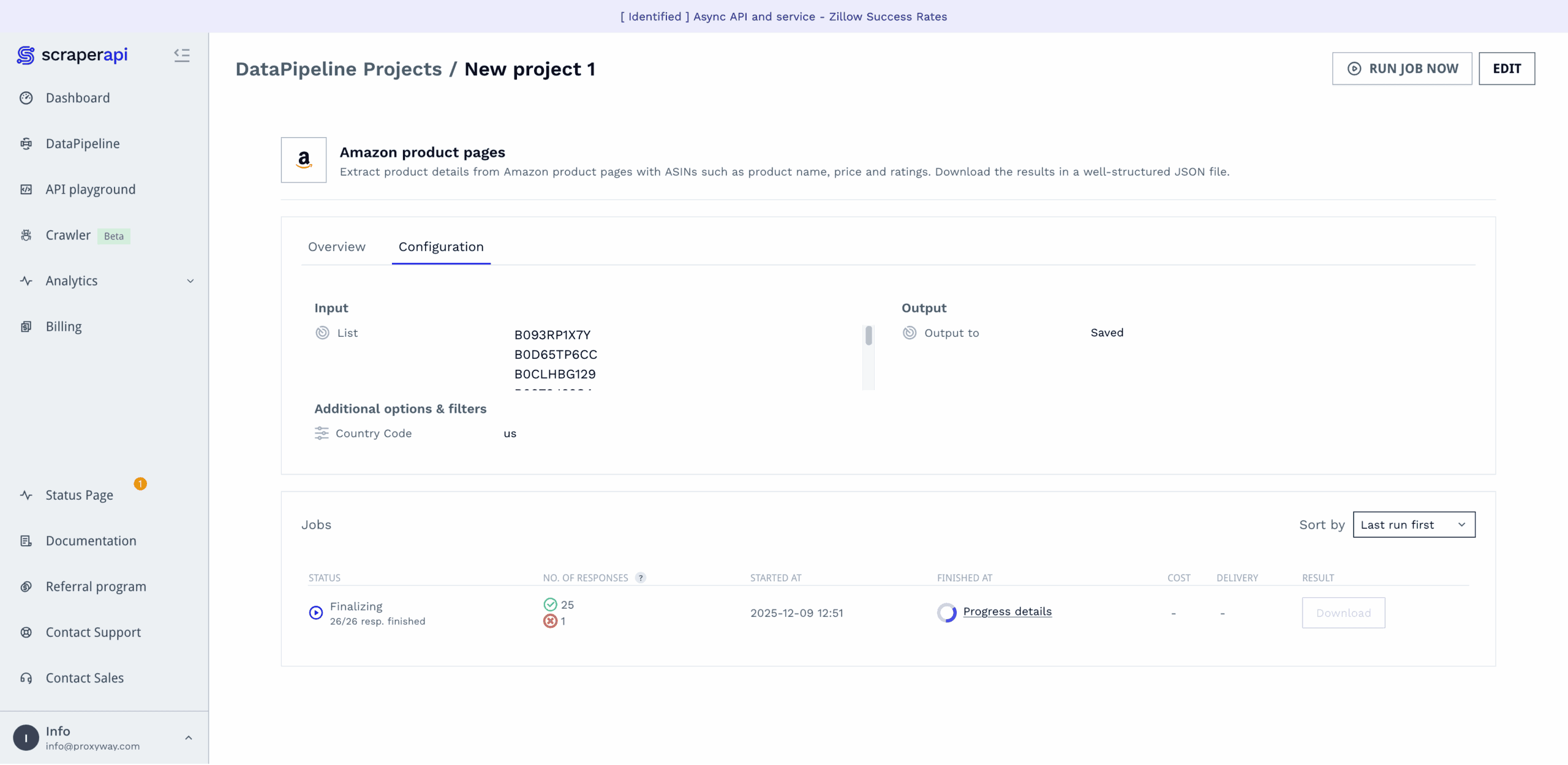
If you don’t want – or know how to – use the API, ScraperAPI offers a no-code interface on the dashboard. It goes by the name of DataPipelines and is actually a powerful tool that allows building full-fledged web scraping pipelines.
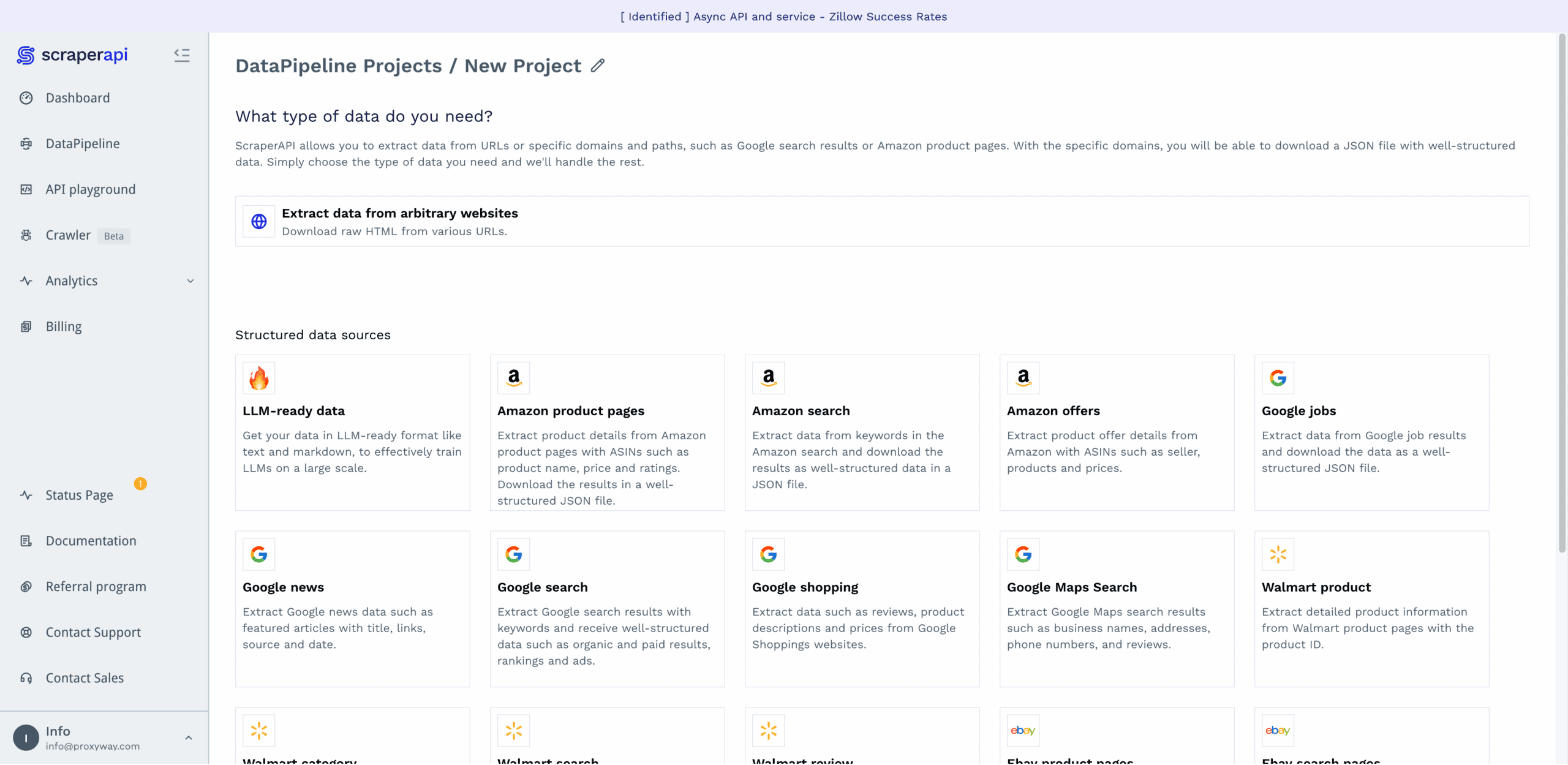
DataPipelines covers ScraperAPI’s website-specific templates, or you can scrape any target in raw HTML or LLM-friendly formats. Here’s how it works:
- Select a data source (for example, Amazon product pages),
- enter desired inputs, either as a list, a text file with up to 10K entries, or a webhook,
- choose whether to download the results directly, or get a webhook link,
- select the scraping frequency: hourly, daily, weekly, monthly, cron job, now, or later,
- and opt in for notifications, if relevant.
The platform will then run your data job, letting you know once it’s finished and giving a detailed report on how the job went. Compared to some other options, ScraperAPI’s no-code interface is surprisingly capable for the code-averse.
Scraping with DataPipelines costs more than using the regular API – the request price starts from six credits instead of one.
Documentation
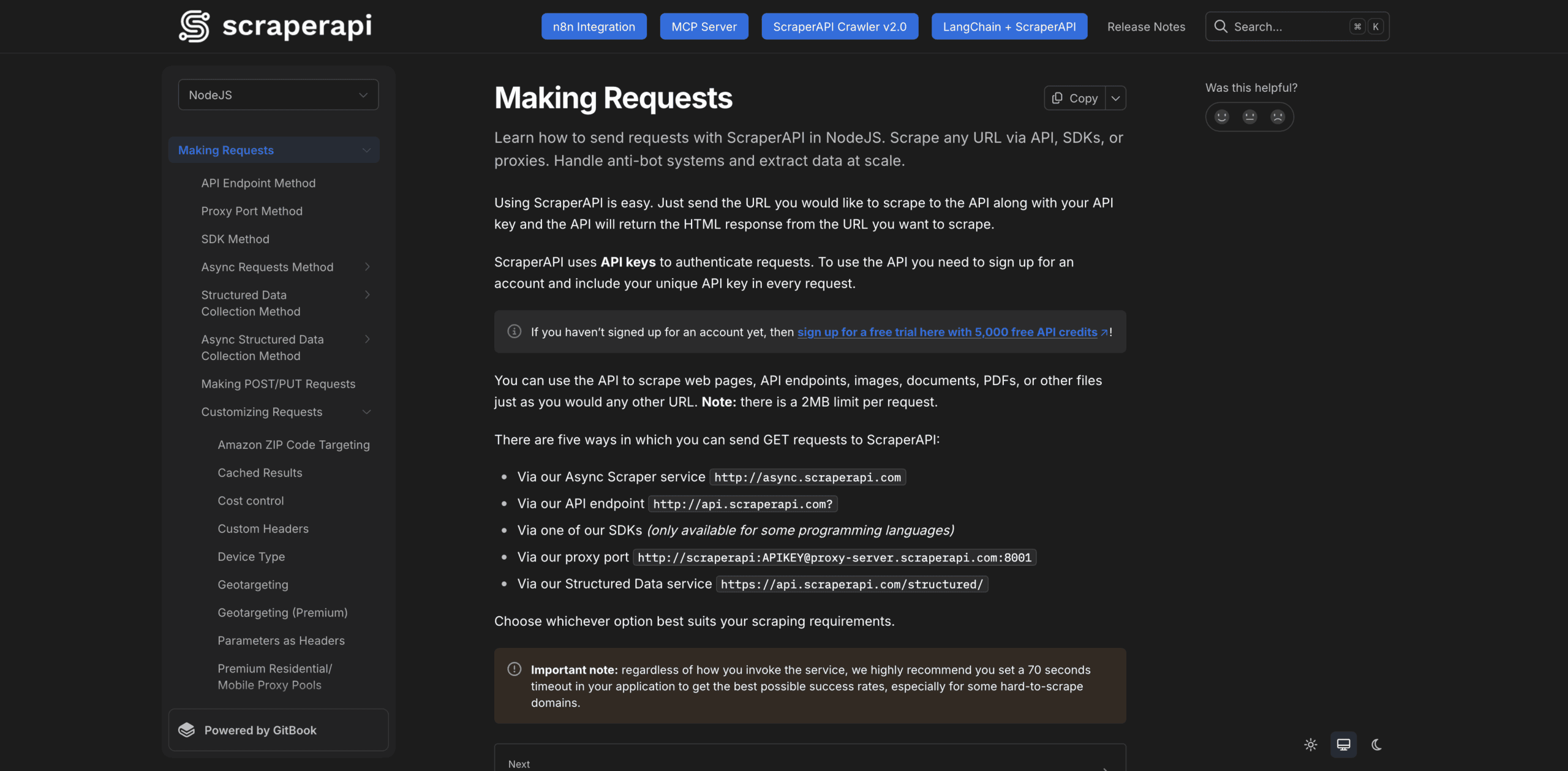
ScraperAPI’s documentation is a treat. It spans cURL and five programming languages, including Python, NodeJS, and Java. You select your preferred language first, and the docs provide examples only in it.
The documentation hub is divided into broad sections: making requests, handling and processing responses, dashboard & billing, credit costs, and general information. Each section expands into smaller units that address individual topics, such as geo-targeting. We never felt lost or lacking information.
However good it already is, the documentation could be further improved by automatically adding our API key to the code samples (Crawlbase does this). In addition, some of the newer features, like integration with n8n or the MCP server, appear as pinned buttons outside the general structure. As such, they feel tacked on.
Hands-On Support
All but enterprise customers receive customer support over email. The former can also get help over Slack.
ScraperAPI has an internal ticketing system that allows referencing to individual issues by their ID. The customer support agents work Monday to Friday 8AM to 8PM CET and strive to respond to new tickets within 24 hours. For a global business with an inherently brittle product, this is rather unimpressive.
We tried creating a support request during the morning in Europe. The reply came within an hour, answering our questions. So, at least during their shift, ScraperAPI’s agents react decently fast.

Conclusion
To wrap things up, we found ScraperAPI to be a competently made – sometimes you could even say, crafted – service. We were particularly fond of the user experience, both when it came to the dashboard and documentation. The API performed well, too, failing to beat only a few challenging targets like Shein.
At the same time, ScraperAPI works best for self-service customers: individual developers, small businesses, or teams with limited data needs. The support coverage is a little limited, especially if you live outside of Europe. And the laddered pricing can get steep once advanced unblocking mechanisms get involved.
But overall, our experience was positive. Unless you’re an enterprise, need precise control over headless browsers, or exclusively scrape protected websites, you’ll likely find ScraperAPI a good choice.
Recommended for:
Small to medium businesses that want to simplify their web scraping operations.