

ScrapingBee Review
ScrapingBee’s excellent user experience and complete set of features make it a great choice for small to medium web scraping jobs – as long as you mind your credit use.
Use the code x to get y discount.
If you’ve googled any web scraping topics, ScrapingBee likely isn’t a new name to you. And now you’ve decided to learn more about this service and whether it can bee-come (sorry for that) your scraping infrastructure vendor of choice.
Well, that’s exactly what this review is about! We’ll talk about ScrapingBee as a company, investigate the innards of its web scraping API, compare the Bee’s performance with competitors, and see if the tool is easy to use. Let’s go!
General Information
- Country: France
- Founded: 2019
- Employees (LinkedIn): 10-25
- Services: Web scraping API
- Price segment: Cheap to premium, depending on the website type
- Payment methods: Credit card, wire transfer
- Trial: 1K credits for 14 days
ScrapingBee is a French company founded by the colorful duo of Pierre de Wulf and Kevin Sahin. Its main and only product so far is a web scraping API.
ScrapingBee can be considered a strongly founder-led company. At the start, they consistently shared product-related news and growth figures on Twitter. This hasn’t been the case for some years now, but Pierre still actively posts (and sometimes shitposts) about company-related topics on his account.
By late 2025, ScrapingBee had grown to double digits in terms of people and over $5M in annual revenue, turning into one of the larger web scraping API developers. Its growth was largely determined by a developer-friendly user experience, low-friction self service, and a highly successful SEO strategy.
Aside from a small seed investment by TinySeed, ScrapingBee raised itself by the bootstraps – a fact which its founders proudly declare. This indie streak ended in June 2025, when the company was acquired by Oxylabs, a major player in the field. According to Pierre and Kevin, they were no longer able to scale the product alone and needed more resources.
Since then, ScrapingBee has introduced a number of new features, some of which mimic Oxylabs’ product releases. Otherwise, not much has changed outwardly, and the company remains a developer-first API aiming to help with small to mid-sized web scraping projects.
News about ScrapingBee
-
By Adam Dubois
- Provider News
-
- Provider News
ScrapingBee Web Scraping API
- General-purpose unblocking: ✅
- Structured data: DIY parsers, AI parsing, website-specific endpoints
- Discovery: Website-specific search endpoints
- AI-oriented features: Markdown, text output, MCP server
ScrapingBee is foremost a general-purpose website unblocker. Having said that, it does offer multiple methods to structure data: some automated and some tailored to specific domains. Outside of those few domains, there’s not much crawling functionality built in, so you’ll have to handle this part yourself.
Integration Methods
| Real-time API | curl “https://app.scrapingbee.com/api/v1/?api_key=APIKEY&url=https://example.com” |
| Batch API | ❌ |
| Proxy | curl -k -x “https://APIKEY:render_js=False&premium_proxy=True @proxy.scrapingbee.com:8887″ ‘https://example.com’ |
| SDK | from scrapingbee import ScrapingBeeClient |
| MCP server | Get page, get screenshot, get file, website-specific tools |
ScrapingBee primarily integrates as a real-time API, transferring data over an open connection. You interact with it by sending GET requests with parameters appended to the URL. If your scraper is built with Python or Node.JS, the provider offers an SDK as an alternative.
Another format is a proxy server. It’s great if you’re using scraping scripts that were written with proxies already in mind. However, ScrapingBee warns that this option doesn’t work well with headless browsing libraries: each request the browsers make consumes a credit.
In late 2025, the provider launched an MCP server for easier communication with AI software. The server includes tools for general scraping in LLM-friendly formats, making screenshots, and accessing specific websites like Amazon or Google.
The main thing that’s missing is webhook-based scraping, whether by sending individual or batch requests. As such, you won’t be able to queue large scraping jobs in advance.
API Parameters
| Geolocation |
|
| Request customization |
|
| Browsers |
|
| Proxies |
|
| Other |
|
ScrapingBee’s API supports all the standard request parameters: passing custom headers, establishing sessions, and selecting the device type. The geolocation options are generous as well, but only if you use premium proxies; as such,, you’ll always need to pay at least 10 credits to choose a specific country.
As expected for a scraper of this caliber, JavaScript rendering is available. You can opt to block unnecessary resources from loading and even execute browser actions, such as waiting for a selector to load, scrolling, or clicking on things. The provider exposes a powerful parameter called evaluate, which allows running custom JavaScript code. That said, all browser actions should take no more than 40 seconds in total, making unblocking browsers a better choice for complex scenarios.
Similarly to ScraperAPI or Zenrows, ScrapingBee offers two extra levels of anti-bot bypassing called Premium and Stealth proxies. They open tough targets significantly more effectively; the trade-off is that premium requests cost 10x, while stealth requests charge 75 times more! ScrapingBee told us that giving this choice exposes interesting workflows: some customers are happy with retrying more as long as they pay less.
The final interesting parameter is being able to import your saved web scraping configurations. For example, you can set up an elaborate API call with CSS selectors and several browser actions. Instead of pasting the full code snippet each time, you can invoke it as a parameter called, for example, “this-saves-me-ten-lines-of-code”. Et voila.
Website-Specific Endpoints
Availability (Dec ‘25)
- Amazon: Search, product
- ChatGPT: Prompt output
- Google: Search, vertical search, lens, AI mode
- Walmart: Search, product
- YouTube: Search, trainability, metadata, transcript
At the end of 2025, ScraperAPI had over a dozen specialized endpoints for five websites. Compared to the general-purpose API, they provide structured data and accept special parameters. For example, Amazon Search lets you enter a search query directly instead of the full URL, while Product retrieves data based on ASINs.
Output & Delivery
- Methods: Open connection
- Concurrency: 10-200 concurrent requests
- Data parsing: Manual CSS/XPath selectors, AI prompt or extraction rules, website-specific endpoints
- Output formats: HTML, Markdown, Text, JSON, XHR
- Screenshots: PNG (full page or selector)
The API returns data over an open connection only. This is enough in most cases, but it’s sometimes easier to just give it a batch URLs, go on your merry way, and fetch the results once notified. Alas.
The initial limit of 10 concurrent requests is anemic, especially if your targets require JavaScript. But it scales decently with larger plans, reaching 200 and more.
ScrapingBee supports many parsing strategies. The most hands-on approach is to send JSON-formatted CSS or XPath selectors. It allows further specifying your expected output, such as text, trimmed Markdown, or a table. The least hands-on approach is using the specialized endpoints we covered just now.
In the middle, there’s AI extraction. Once again, you get several options. The easiest but least accurate way is to write a prompt and hope for the best (ai_query=”price of the product”). To make it more reliable, ScrapingBee lets you reduce the scope by specifying a particular selector to be parsed (ai_selector=”#product-details”).
The second option is to send JSON parsing rules to the language model: this data point is called name, and its format is a string. The second data point is price formatted as a number. And so on. This approach is becoming an industry standard where AI-based data parsing is involved.
Aside from HTML and JSON, the API supports LLM-friendly Markdown and text output formats. If you enable JavaScript rendering, it can also return a screenshot. Finally, the json_response parameter allows capturing network requests for intercepting calls to internal website APIs.
Pricing Plans
- Model: Subscription
- Format: Credits (up to 75 per successful request)
- Starting price: $49 for 250k credits & 10 concurrency
- Upsells: Concurrency, priority support, team management features
- Trial: 1,000 credits
ScrapingBee’s pricing model is subscription based, with plans that renew monthly. Upon renewal, unused credits expire. Upon cancellation, they remain available for the subscription period (31 days).
There are only four public pricing plans ranging from $49 to $599. After logging in, you actually get to see more options reaching $2,400 monthly commitment. They all offer similar functionality – the packages only differ by scraping rate, team management features, and the quality of customer support.
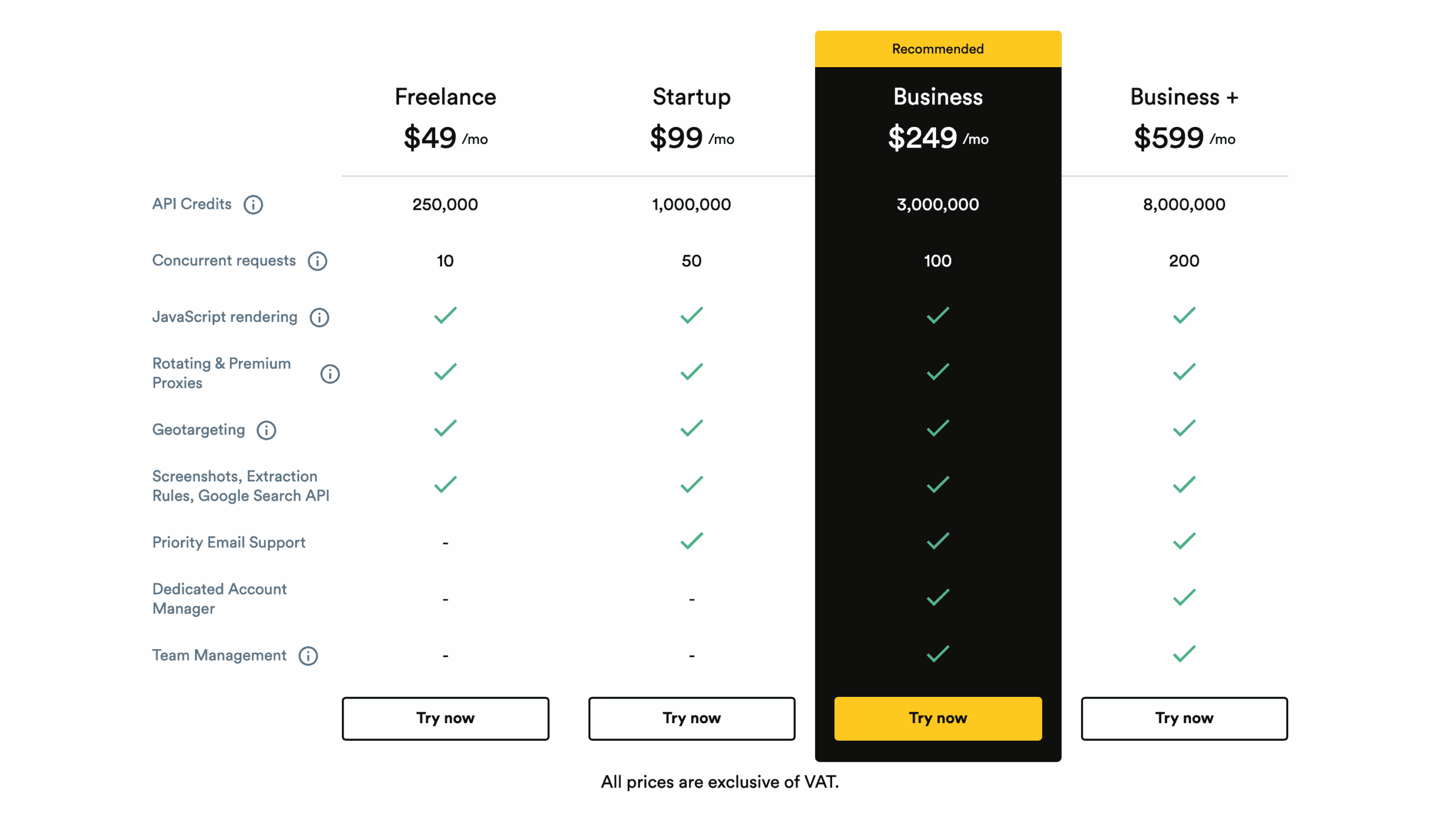
The unit you’ll be working with is API credits. A credit can correspond to one request or page load, but it often won’t. ScrapingBee charges extra credits for certain features like JavaScript rendering or using its website-specific endpoints. Here’s the full breakdown:
| General rates | Special websites |
|
|
Credits only get charged for requests that ScrapingBee considers successful. That would be any response with the HTML code 200 or 404. All other responses are considered failed and charge nothing.
This model makes ScrapingBee very affordable but definitely not for all scenarios. With premium proxies enabled, it costs a similar amount to other mid-market providers like ScraperAPI or Decodo.
Once you also switch on JavaScript rendering, we start looking at rates that exceed even premium competitors like Bright Data. That’s the draw – and the main catch – of credit-based web scraping APIs.
Here’s how ScrapingBee compares with competitors in its market segment at $500 spend:
| ScrapingBee | Firecrawl | Decodo | ScraperAPI | Zenrows | |
| Cheapest CPM* | $0.08 | $0.80 | $0.77 | $0.10 | $0.08 |
| Costliest CPM | $6.23 | $3.99 | $0.77 | $7.13 | $2.08 |
* price per thousand requests
If credits run out early, you won’t be able to top up. However, ScrapingBee does offer the option to automatically renew a plan once it hits 98% of use. The remainder 2% carry over.
Before committing, you can claim a 14-day trial with 1,000 free credits.
Performance Benchmarks
We last tested ScrapingBee in October-November 2025, for our annual report on web scraping APIs. We scraped 6,000 URLs from each of 15 protected websites, sending two and then ten requests per second.
Average success rate
Comparison with other providers
ScrapingBee did very well with most protected targets – in fact, it landed itself in the top four among eleven APIs. However, while simpler configurations sufficed for websites like Amazon, Google, or Walmart, we had to rely on stealth proxies a lot to reach a decent success rate.
So, while ScrapingBee can be a very capable option for most websites, it’s best suited for scraping lightly or semi-protected targets.
Average response time of the fastest run
Comparison with other providers (successful requests)
When it came to response time, ScrapingBee was decently nippy with websites like Amazon, Google, or YouTube. However, whenever stealth proxies got involved, the rate of responses dropped significantly, making ScrapingBee one of the slowest APIs.
We noticed that the stealth proxy features invariably render JavaScript; a simpler version is in the works, which should improve responsiveness.
User Experience
ScrapingBee got popular largely thanks to its developer-friendly user experience. In this section, we’ll look at the Bee’s dashboard, API playground, and documentation.
Registration
Dashboard
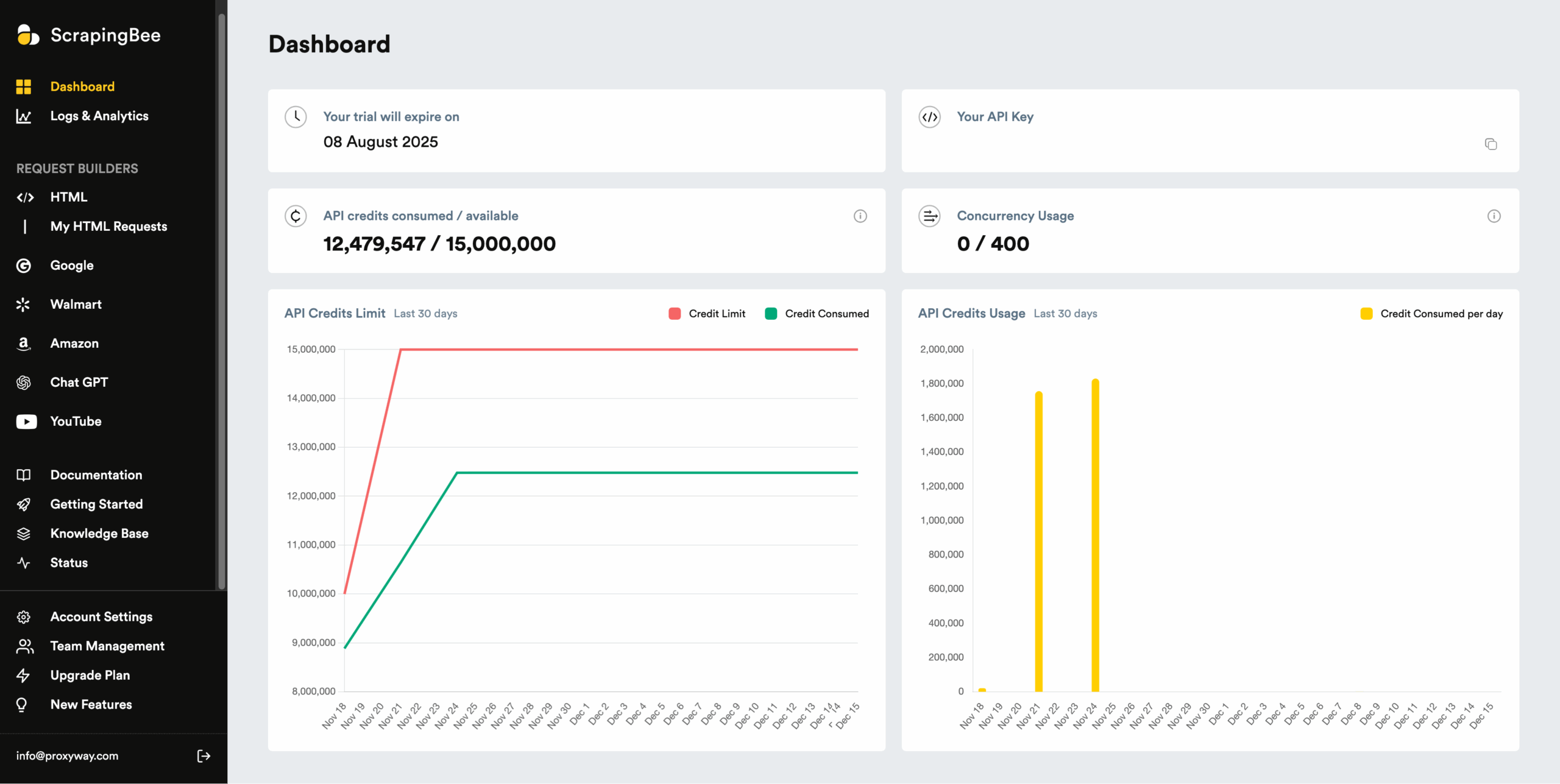
ScrapingBee has a capable dashboard where you can manage the subscription, test API calls, track usage and get help. It’s available in English only.
The dashboard’s main page shows basic info like remaining credits, spending graphs, and real-time concurrency.
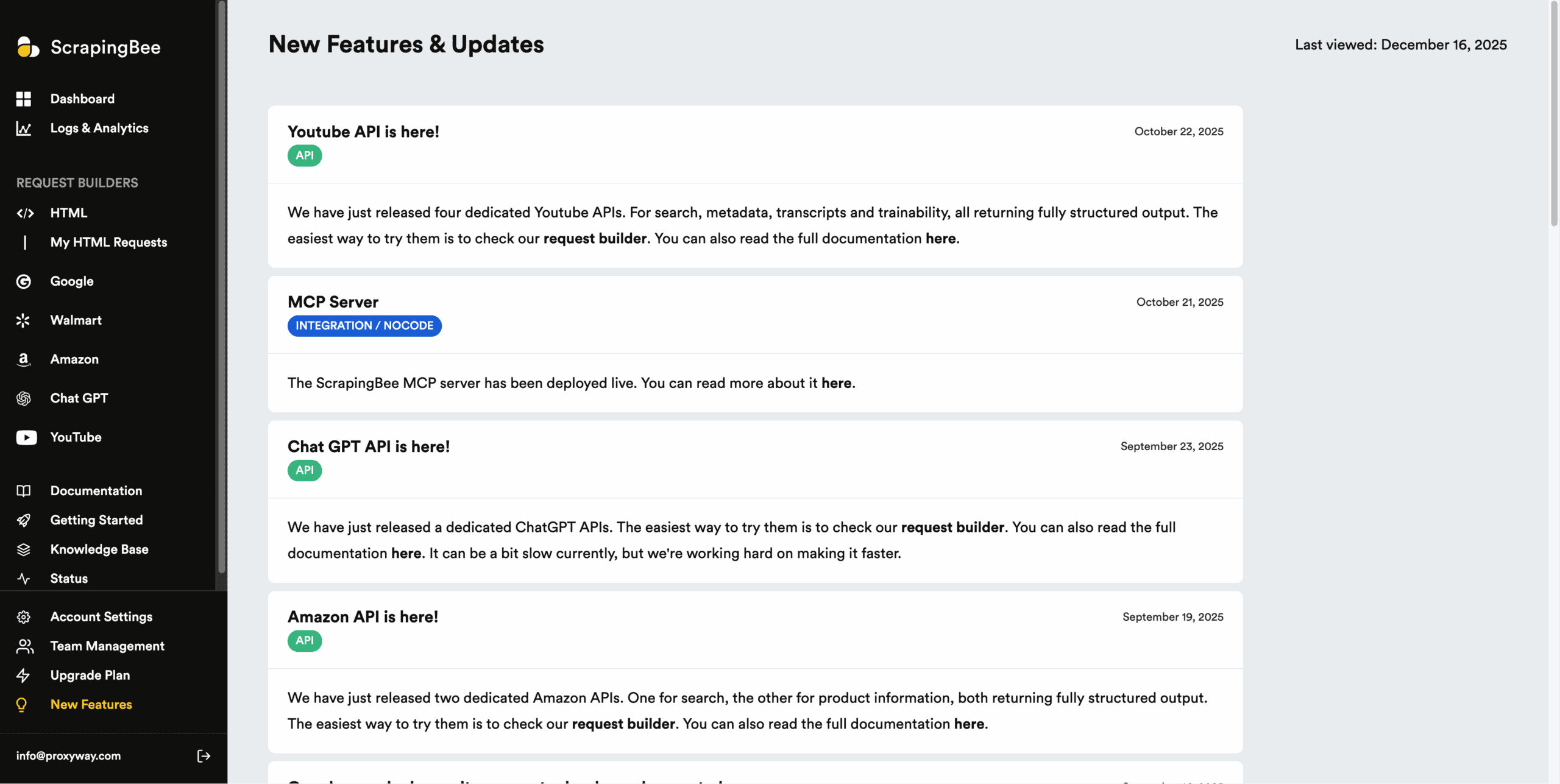
Like most similar platforms we’ve tried, ScrapingBee includes a sidebar for navigation. It dedicates a lot of space for request builders (API playgrounds) and getting help. By late 2025, the dashboard had reached the point of becoming cluttered, though it was still relatively easy to navigate.
You can achieve mostly everything through self-service; this includes updating your profile information, changing account details, or even deleting the account altogether.
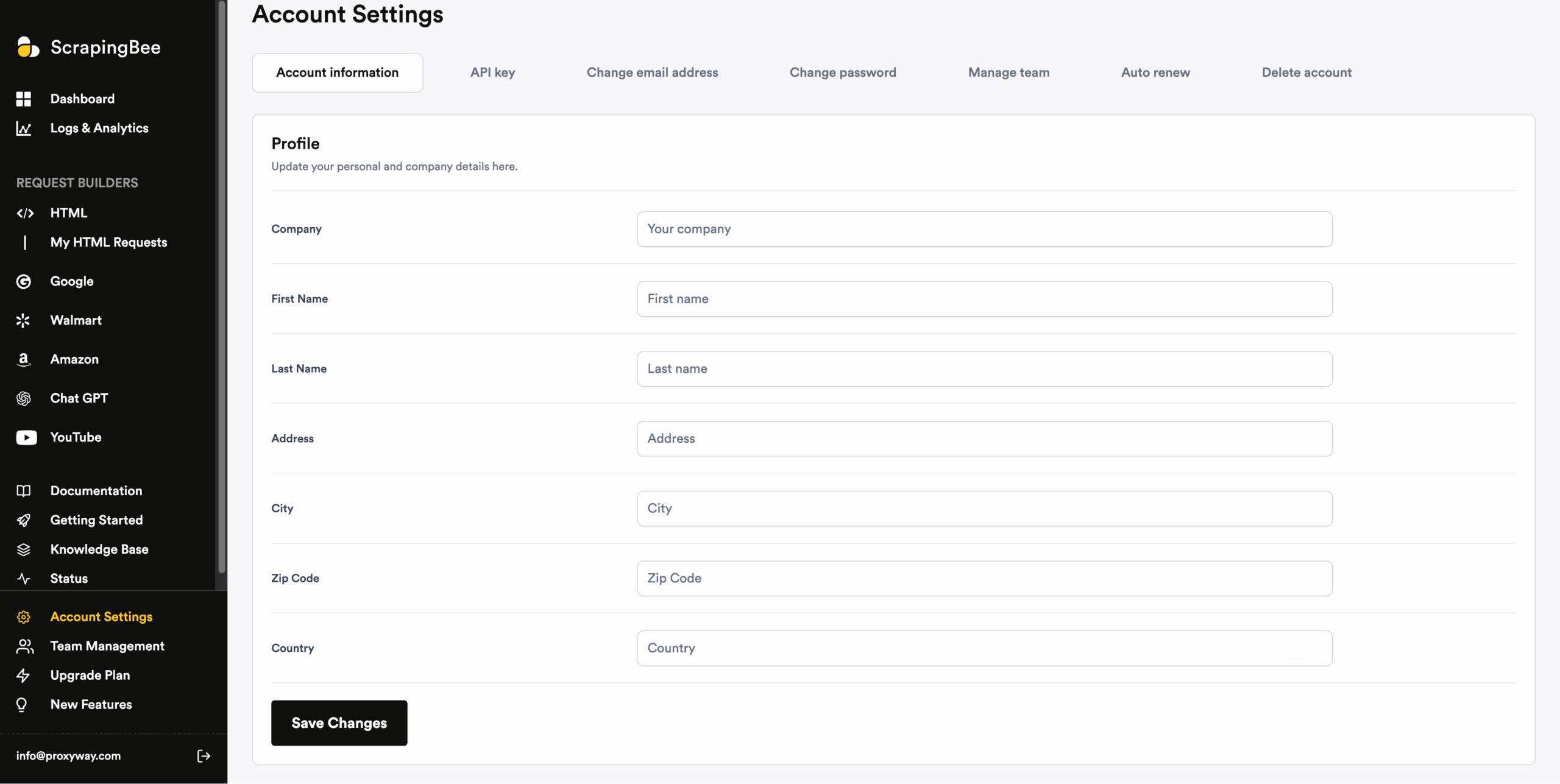
ScrapingBee hides most of its subscription management features until you get a paid plan, so don’t be fooled like we were.
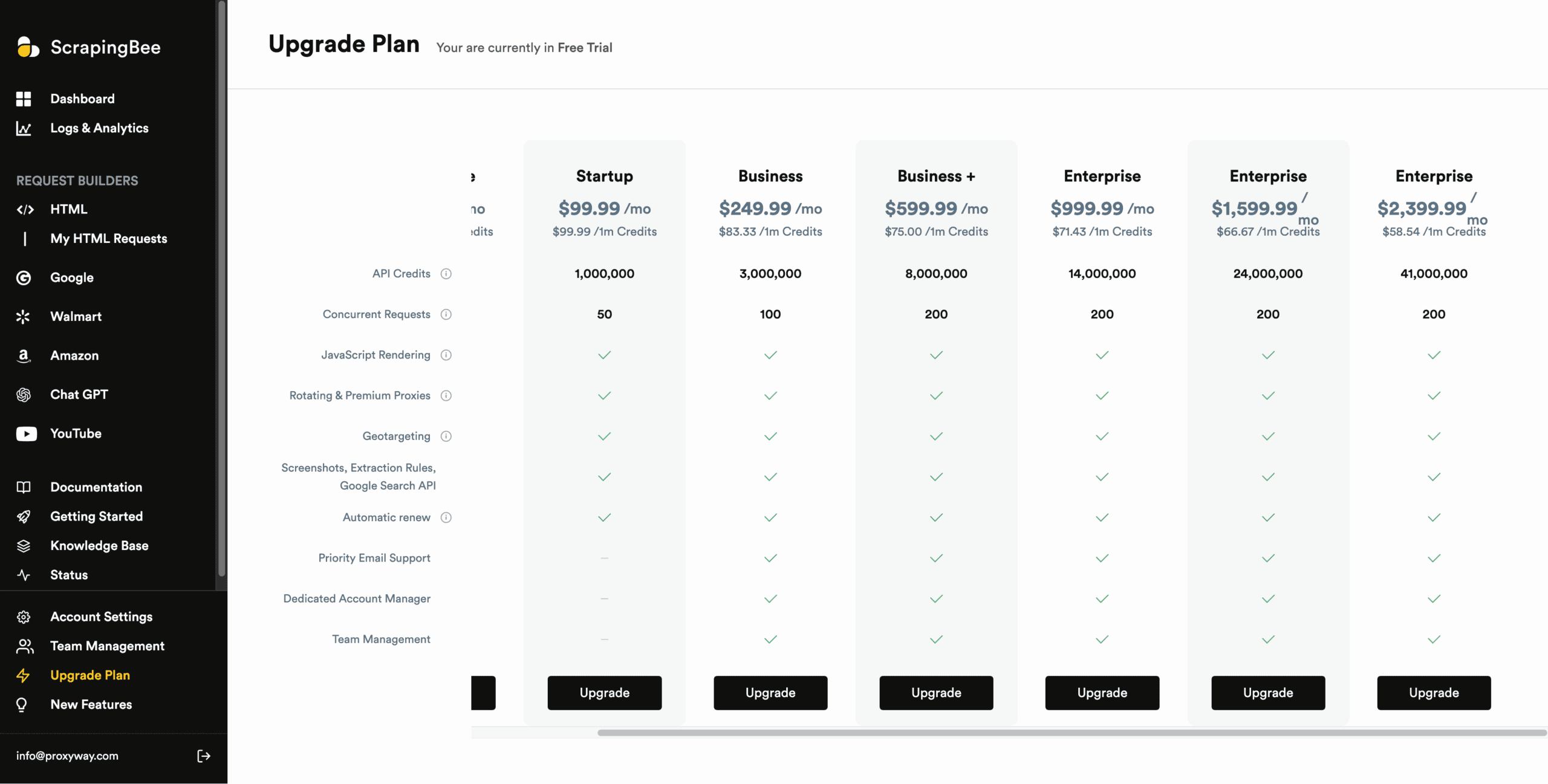
With a trial, you’ll only see one page listing the available pricing plans; there, you’ll be able to upgrade or downgrade the subscription, as needed. Another page in the settings allows enabling auto renewal when you run out of credits (but topping up isn’t an option).
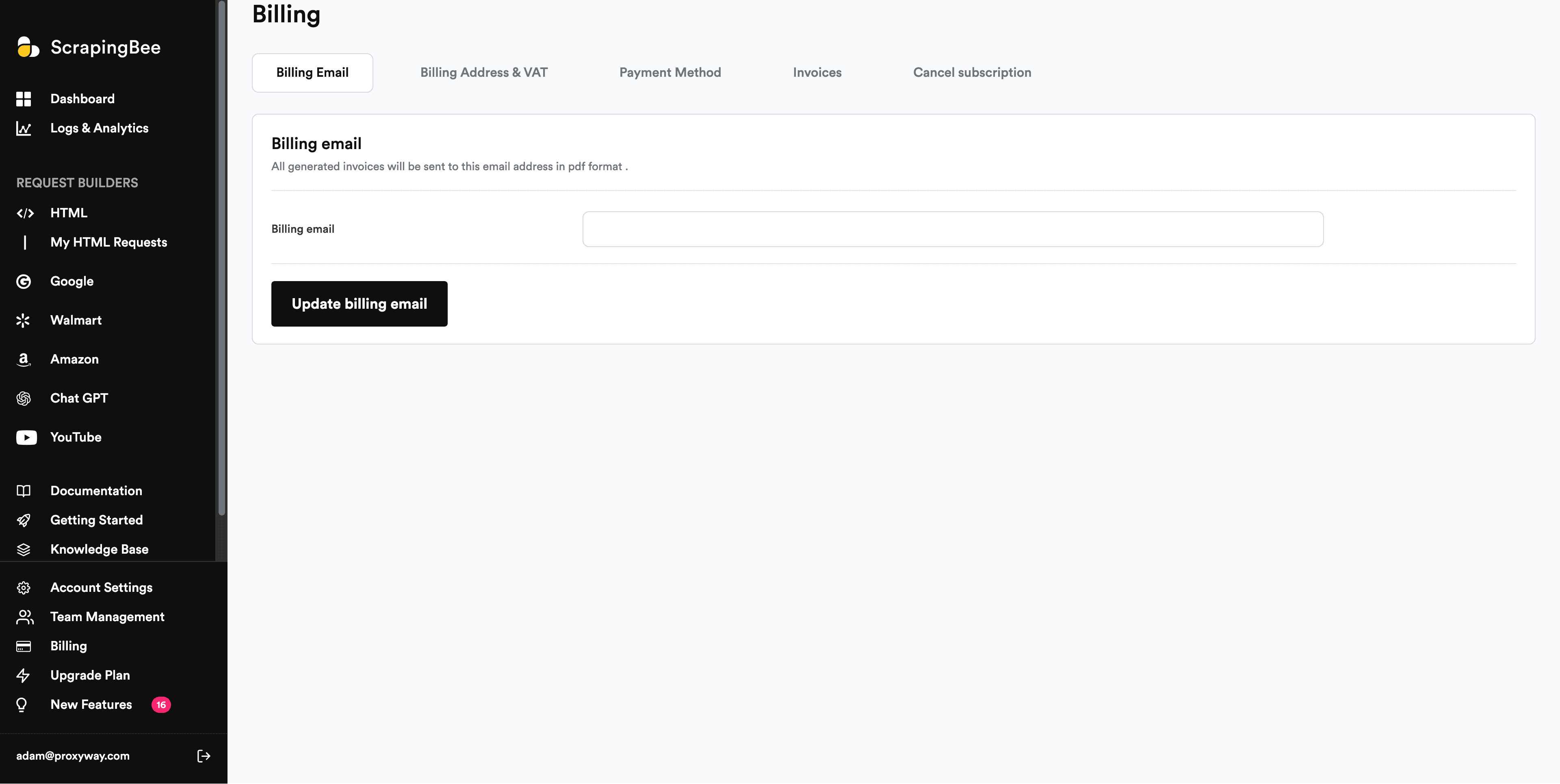
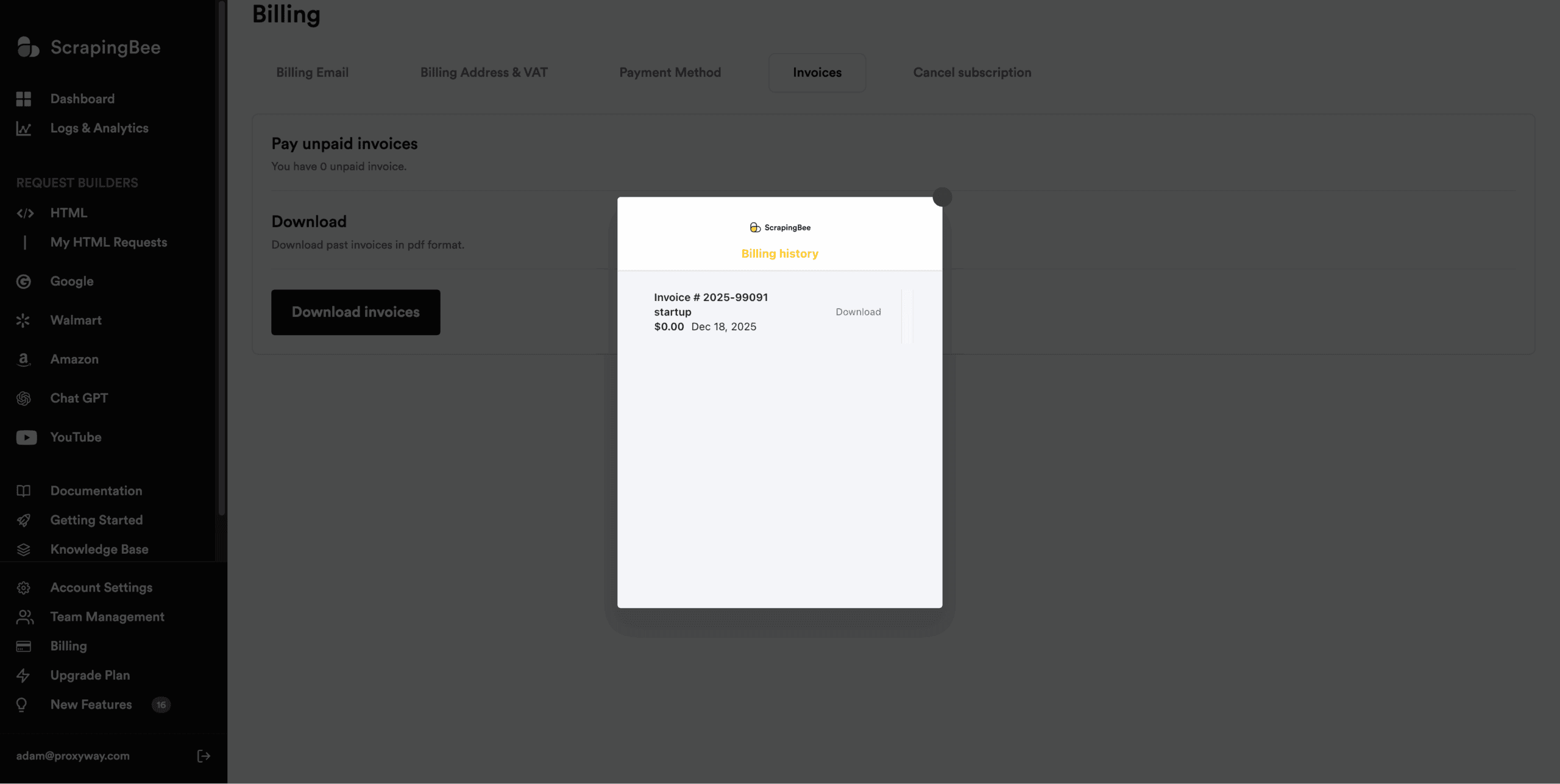
Post subscription, the dashboard surfaces a Billing page. It lets you enter an email for invoices, update your billing and card details, cancel the subscription, and fetch invoices. The latter is rather inconvenient, as it requires opening a small new window before you can see the invoices.
The account information in the main settings page isn’t related to the billing details in any way, raising the question why it’s needed in the first place. The platform also lacks an integrated wallet which could simplify top-ups and reduce the number of transactions. All in all, there’s room for improvement.
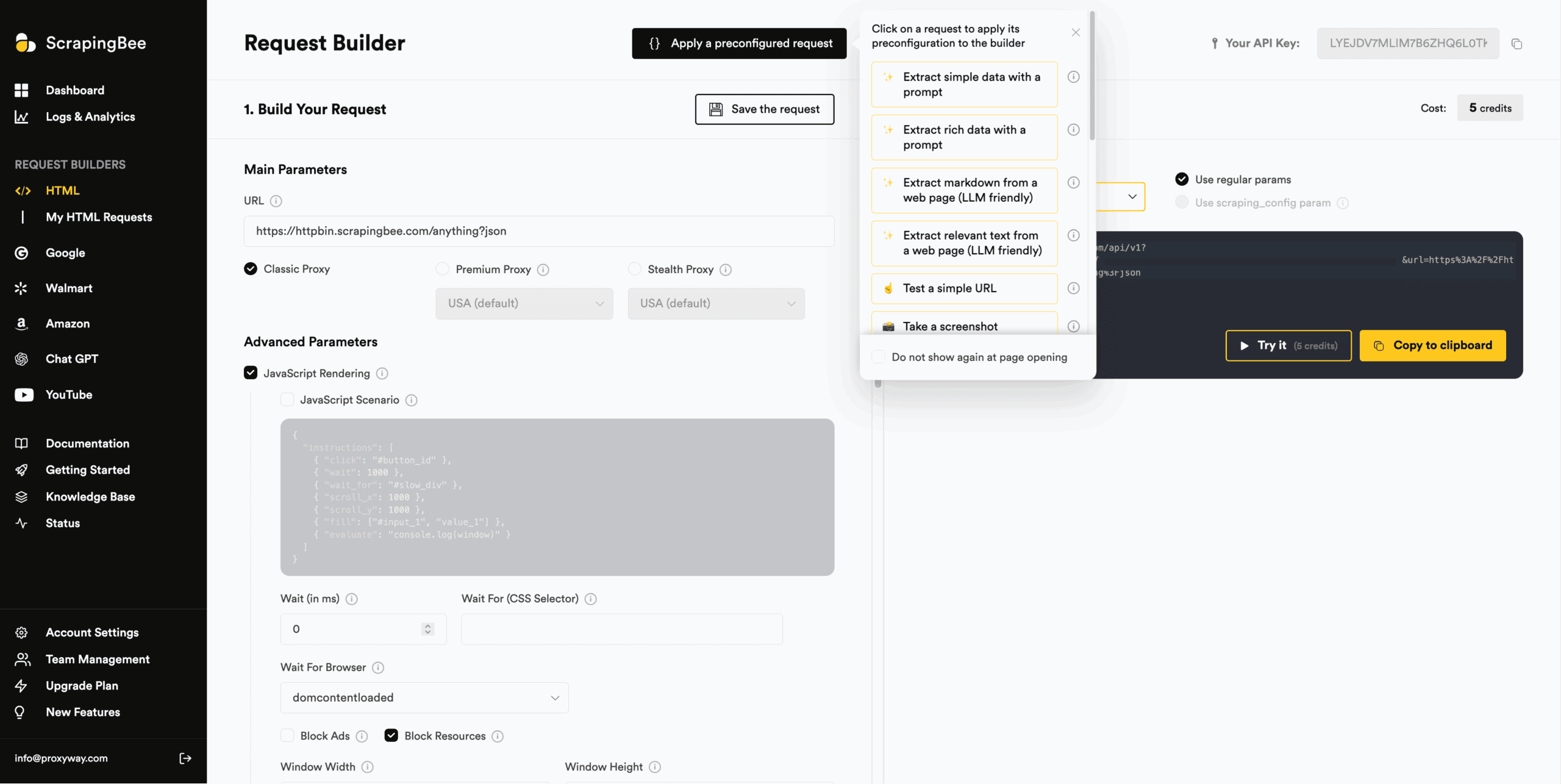
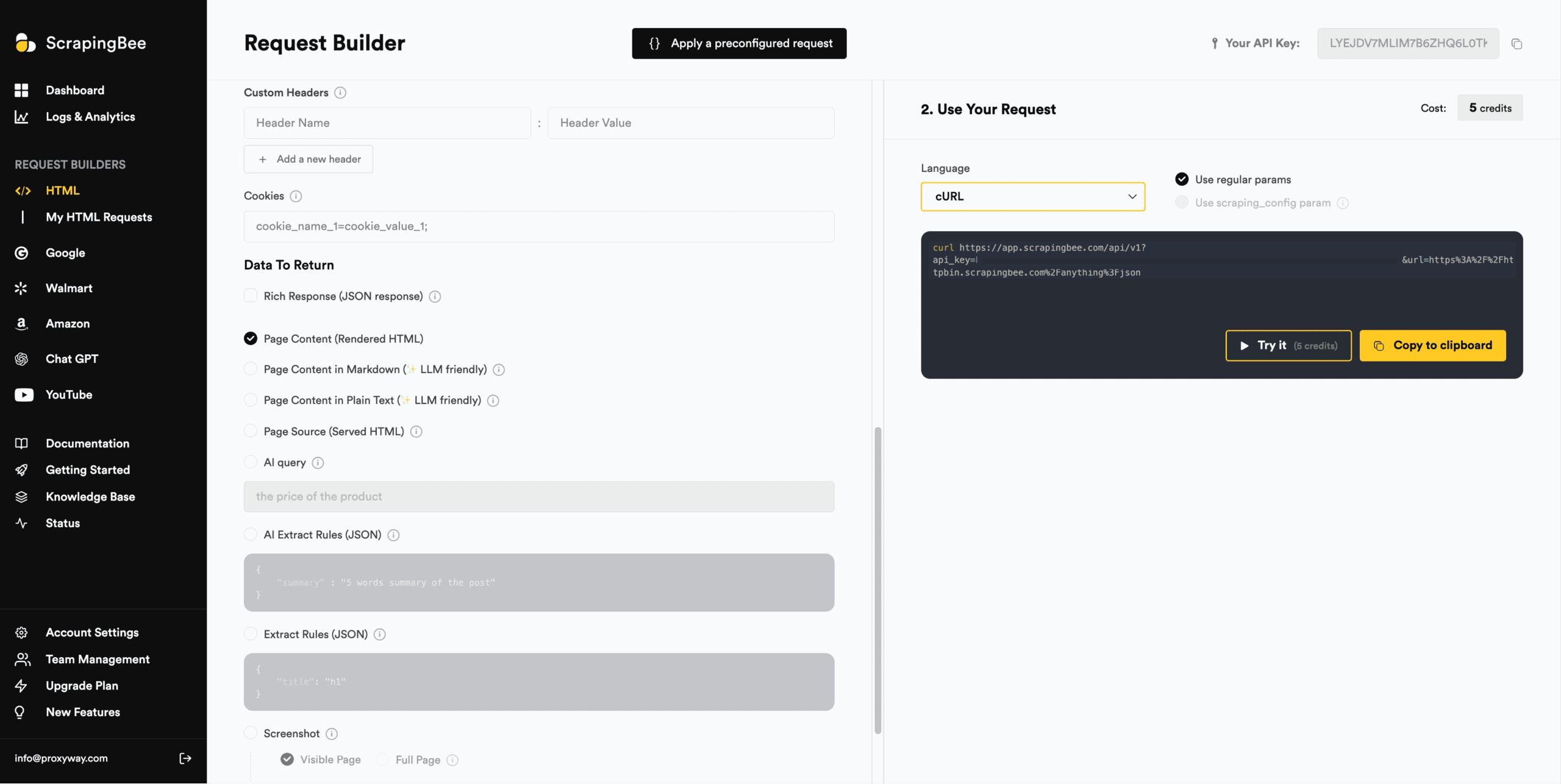
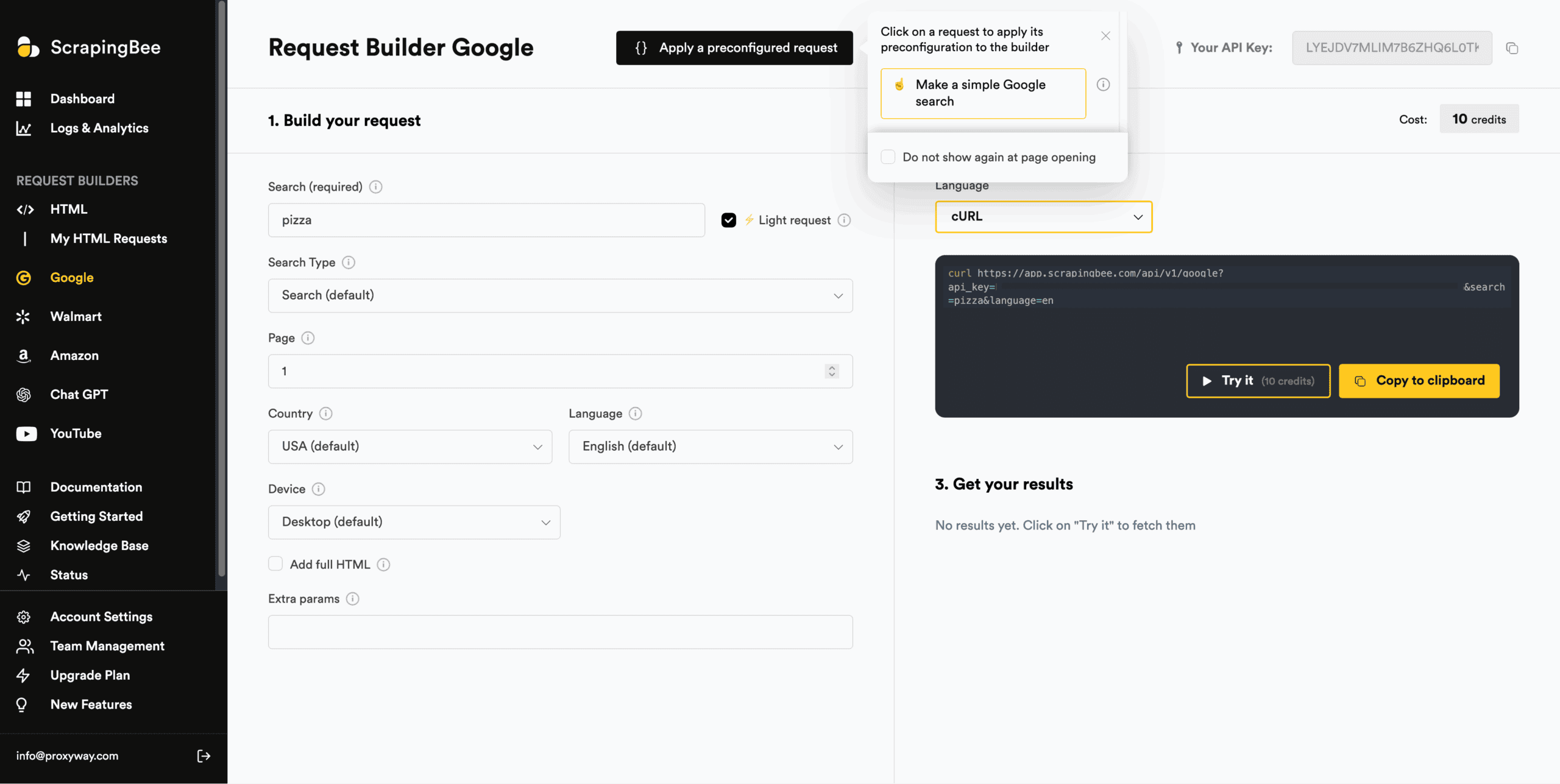
ScrapingBee’s dashboard includes multiple API playgrounds: there’s one for the general-purpose scraper, and every specialized API gets its own separate playground.
Compared to some other implementations we’ve seen (and we’ve seen a lot), this one resembles the cockpit of a plane – that is to say, it’s packed with settings. You can even write your own JSON rules in the provided fields. To reduce complexity, ScrapingBee offers a set of pre-configured scenarios, such as extracting simple data with a prompt, taking a screenshot, or extracting links from a webpage.
All the playgrounds generate interactive code snippets in eight programming languages, ScrapingBee’s two SDKs, and the proxy mode. They also show the credit cost based on your configuration and let you test requests with targets in real time. The output includes a browser preview for easier visual parsing.
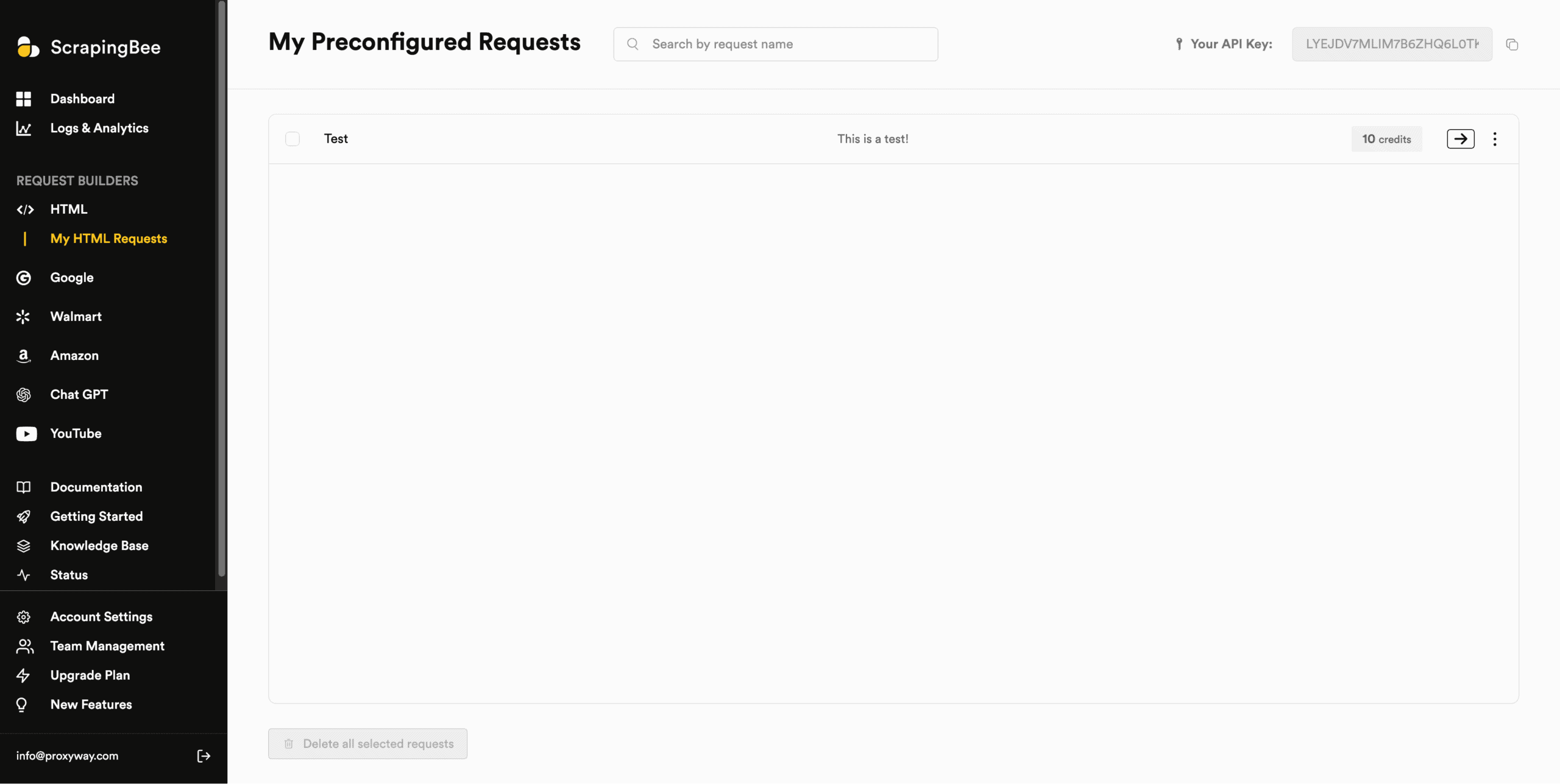
One rather unique feature is the ability to save API configurations for future reuse. You can name these preconfigured requests and invoke them as an API parameter.
So, despite being complex, ScrapingBee’s API playgrounds (in plural) are very capable.
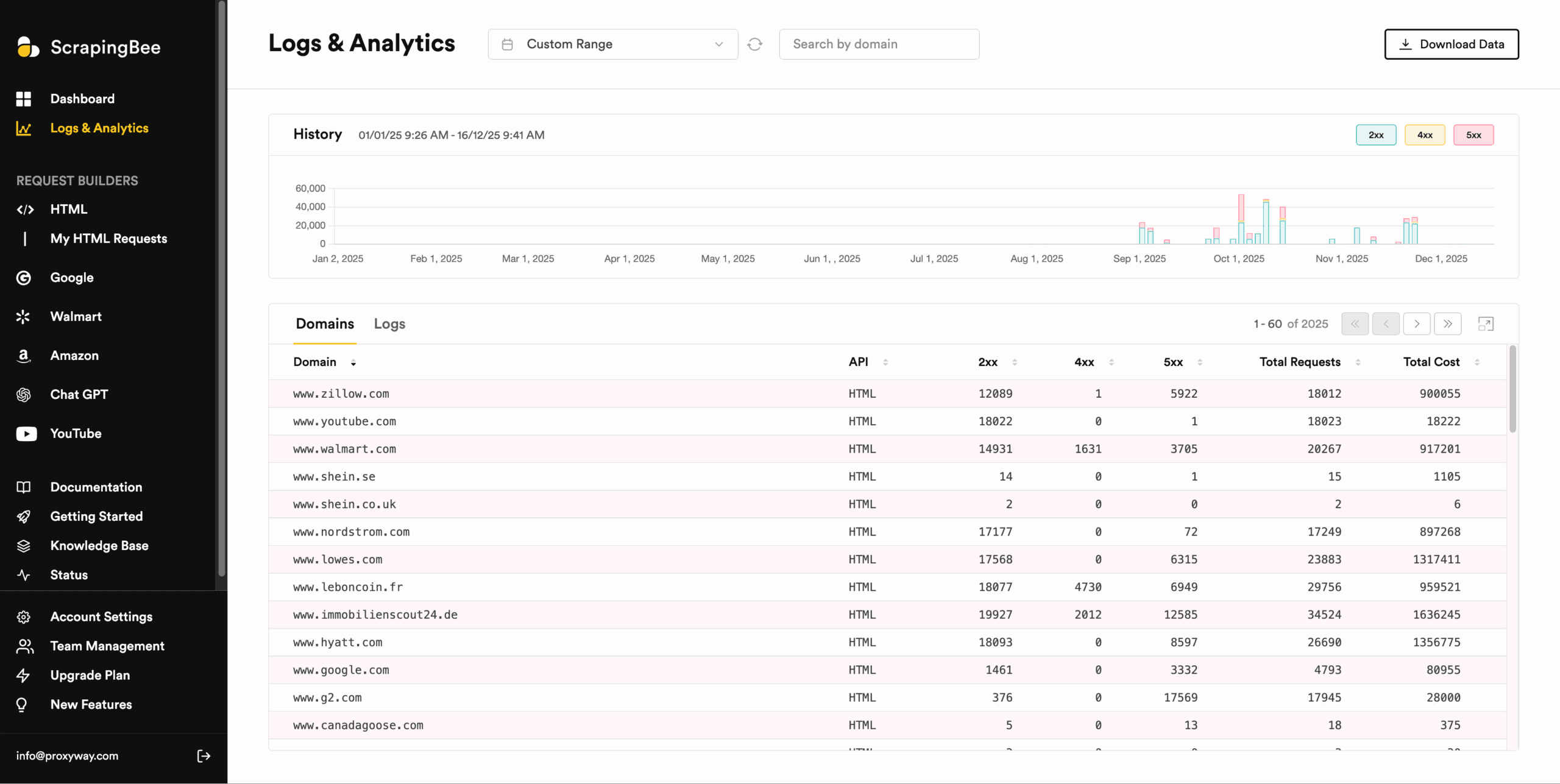
ScrapingBee shows usage statistics in three places.
The dashboard’s main page is concerned with monetary metrics: it includes two graphs with cumulative credit consumption against the limit and daily credit spend.
The Logs & Analytics page features a graph with your request history separated by 2XX, 4XX, and 5XX response codes. Below it, there’s a table with domain-level stats that also show total requests and total cost. Another table holds the logs for individual requests, including their exact time, status, URL, duration, and credit cost.
You can filter the data by individual domain and time period. There are pre-defined timeframes that range from real-time to this month, or you can specify a custom range. What’s interesting is that there’s no cut-off period: we could go back to as far as 2019. This could raise questions about data retention, but we haven’t been making requests for so long.
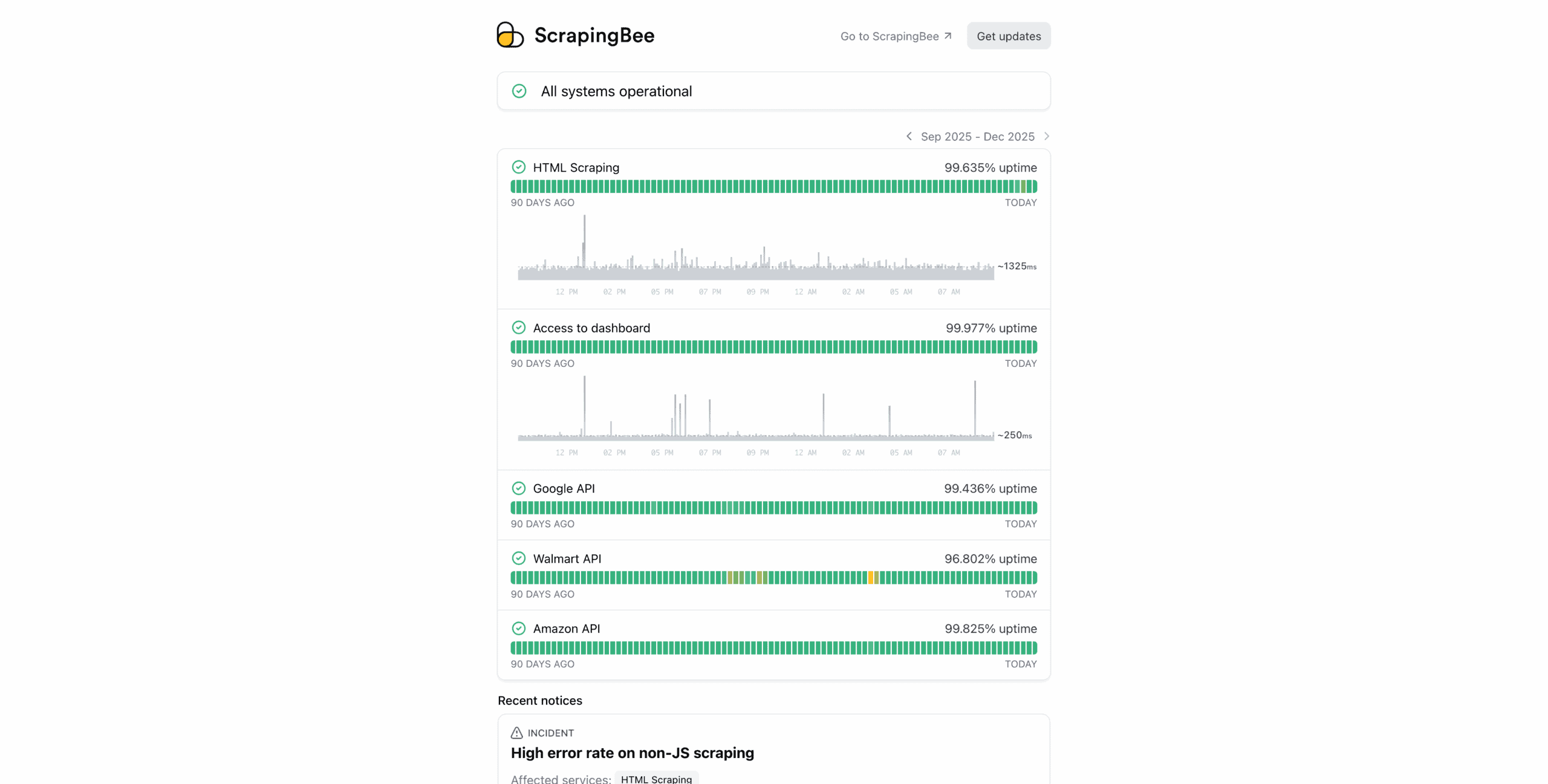
The third place shows infrastructure statistics: the uptime of the general-purpose API and specialized endpoints, the average response time, and past incidents.
Documentation
ScrapingBee has plenty of documentation to answer any questions you may have. The first resource is the prominently displayed FAQ page. It answers eight popular questions, mostly concerning billing.
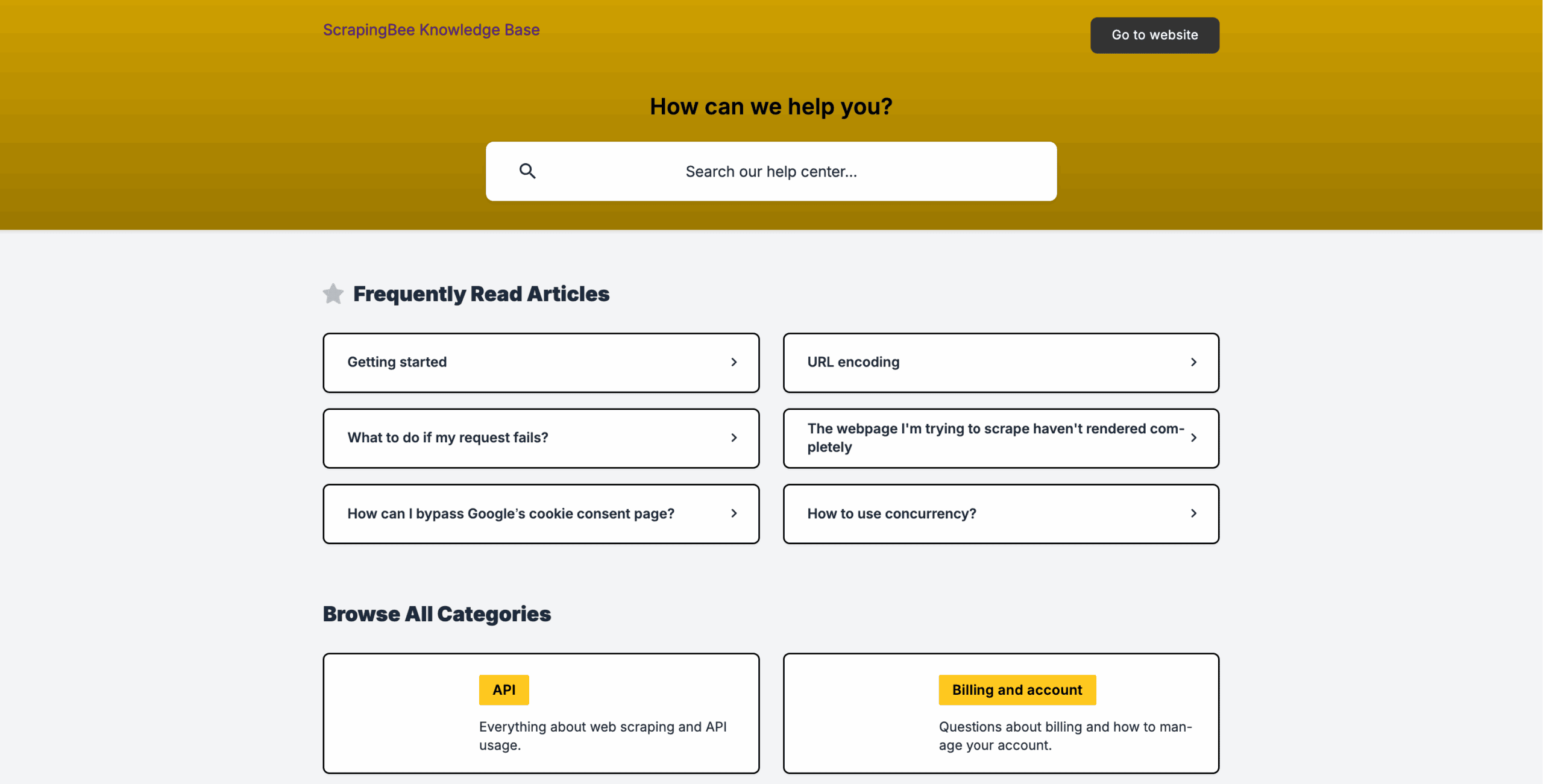
More in-depth answers can be found in ScrapingBee’s knowledge base. It’s split into two sections – API and Billing – and includes around 50 articles. Some can be as specific as “why aren’t I always getting ChatGPT citations?”
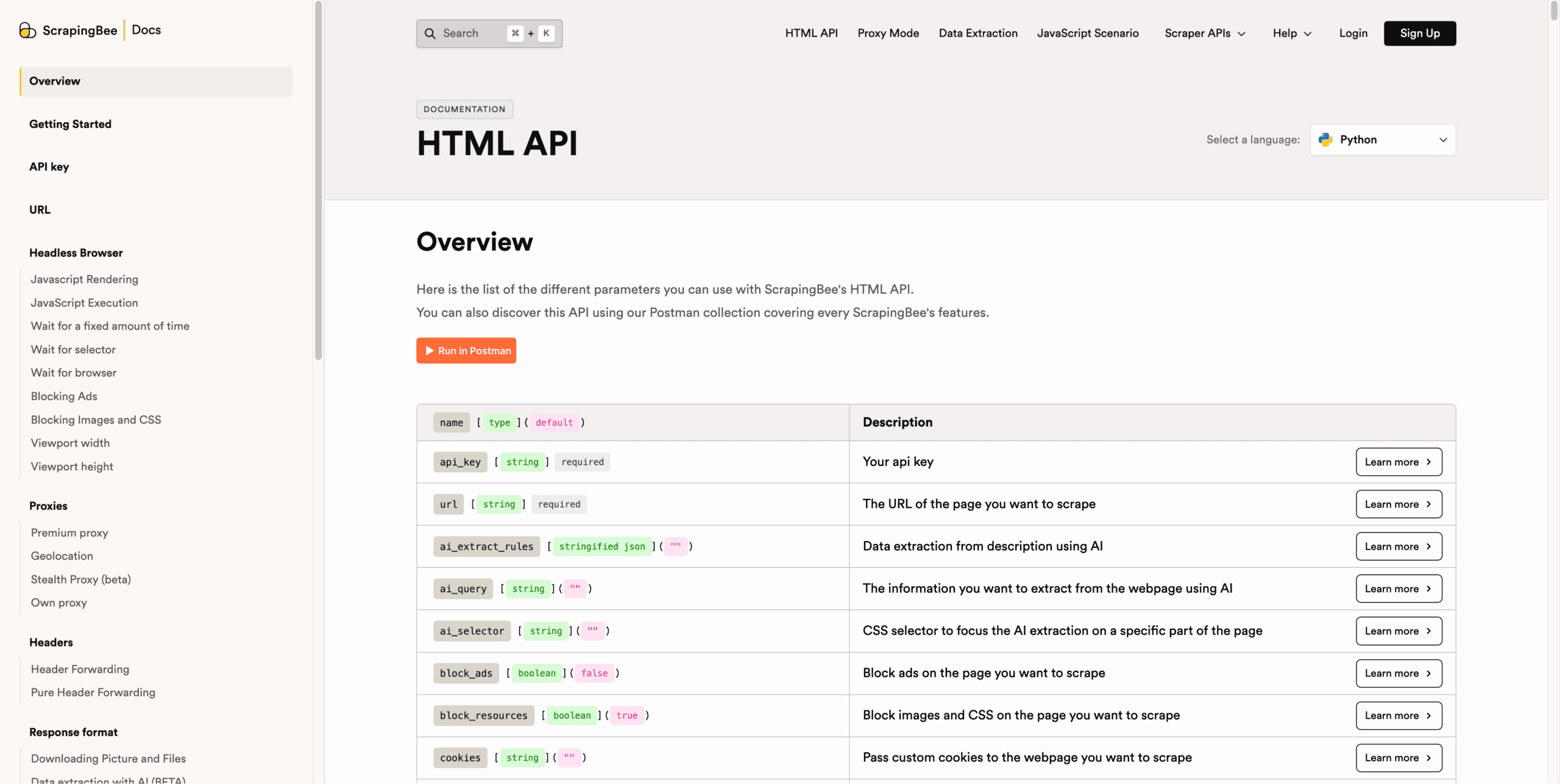
However, you’ll likely spend most of your time on the documentation page. It’s a sprawling hub that lists and explains all API parameters, with usage examples and code samples in seven programming languages. We loved that the samples automatically import your API key if you’re logged in, so you can paste them straight into a code editor.
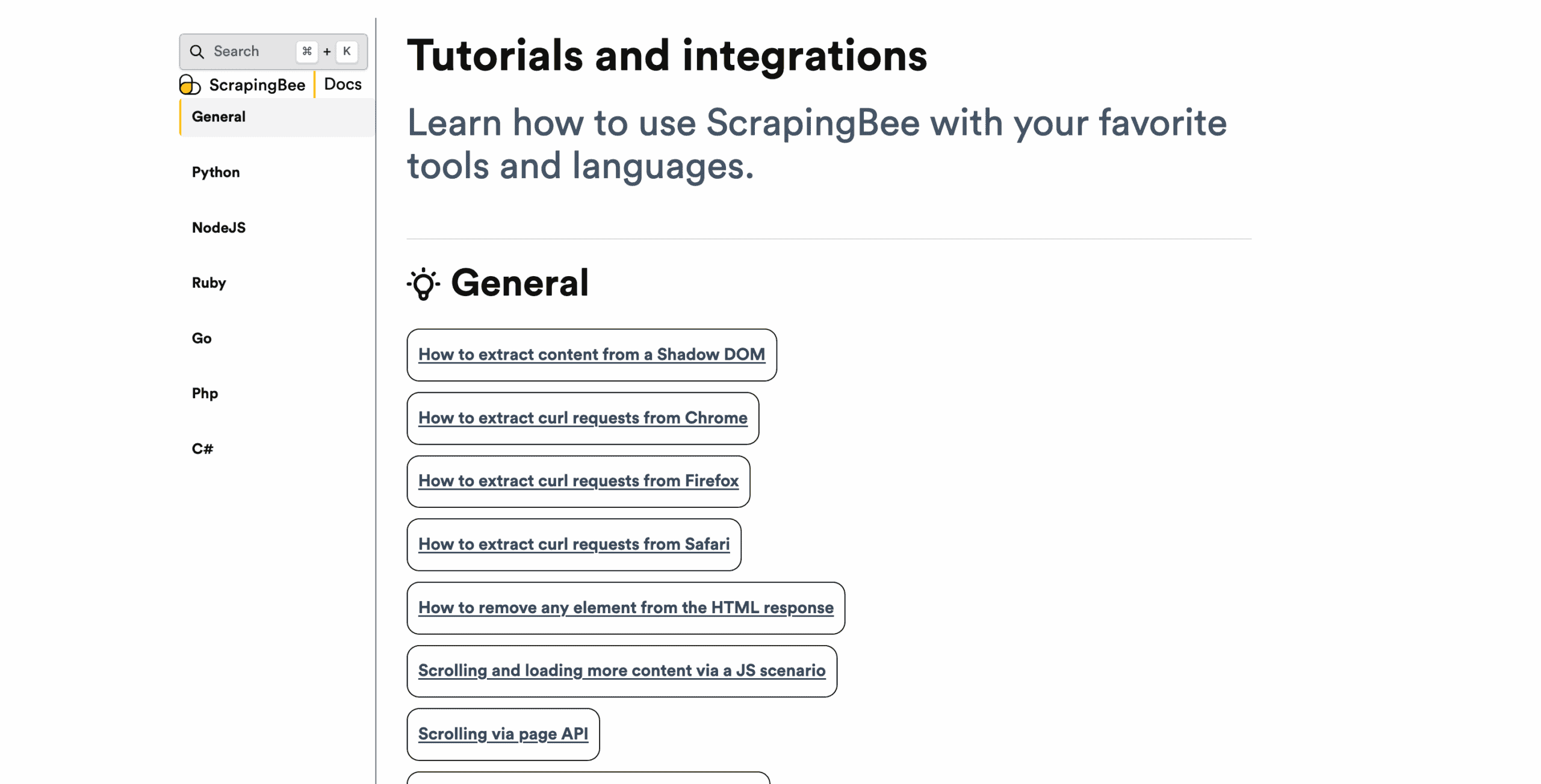
Finally, there are usage tutorials. They help solve specific problems, such as creating a retry logic in Python, extracting content from a Shadow DOM, or fetching data from a table.
Summing up, ScrapingBee’s documentation resources are probably the best we’ve seen so far.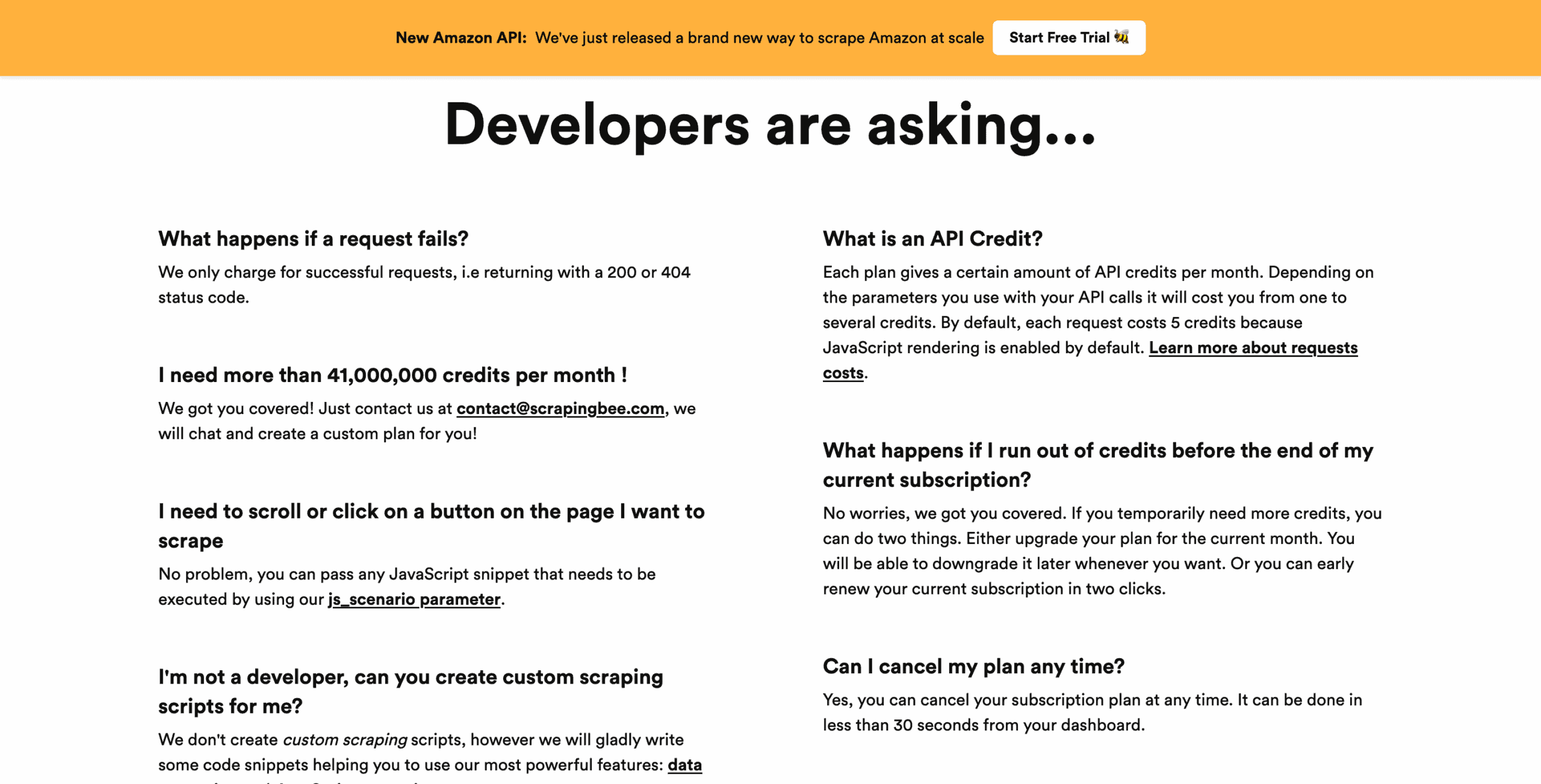
Hands-On Support
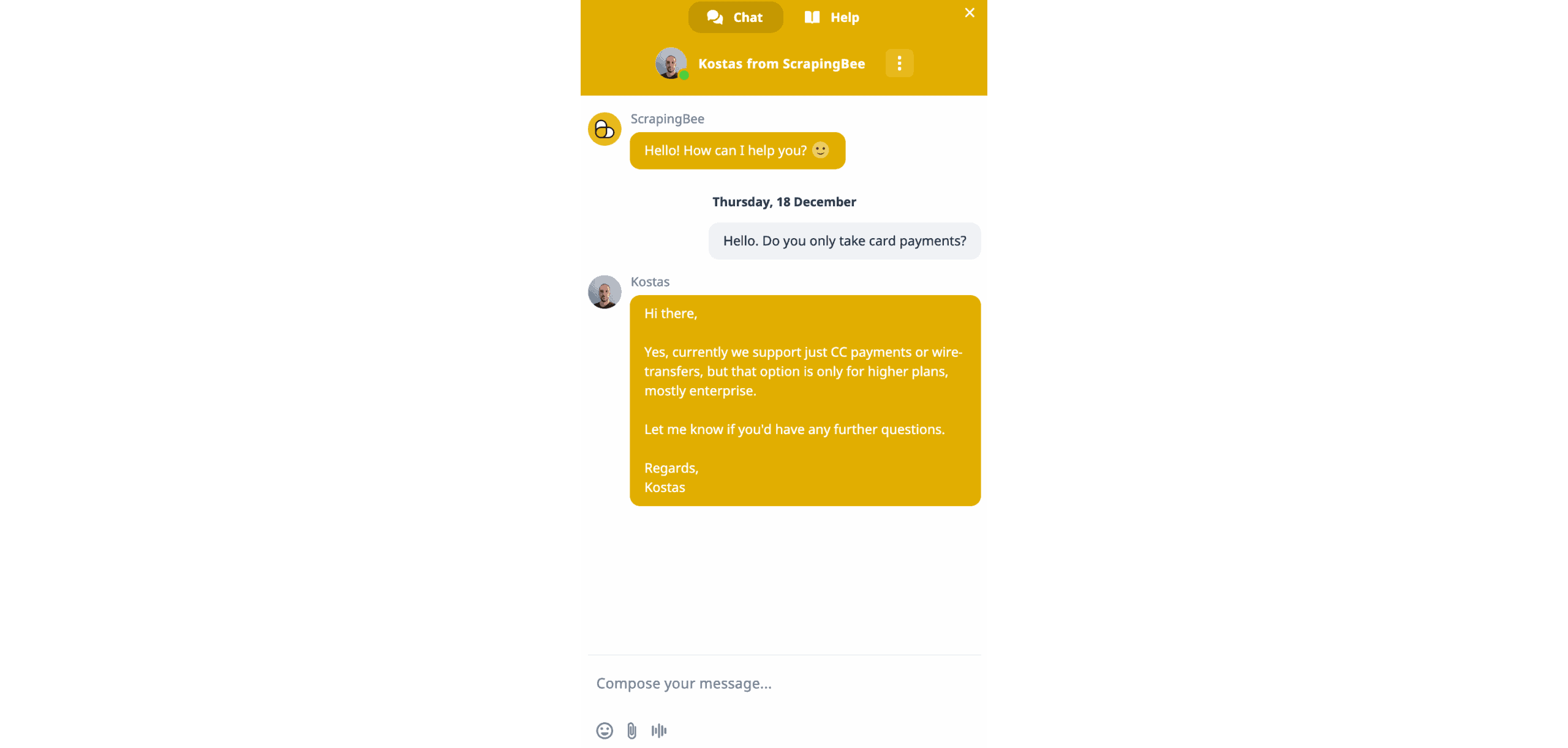
ScrapingBee provides support over email or live chat. The working hours are Monday to Friday, 10 AM to 10 PM UTC+2. No help on weekends isn’t ideal, but even the current configuration beats quite a few competitors in ScrapingBee’s market segment.
We tried using the live chat during daytime in Europe. The chat window showed 14 people – over a half of ScrapingBee’s team! – but the expected reply time was around 45 minutes. We only had to leave an email, and there was no chatbot or LLM to lead us through a maze of questions.
While waiting, we noticed that the chat button wasn’t available on the dashboard – a perplexing choice. Help came in around 10 minutes, which is very decent.
Conclusion
After using ScrapingBee, we can understand why this provider has grown so fast. It offers excellent user experience and attractive rates for popular or lightly protected websites. The Bee can tackle tough targets, as well – but just like most APIs using credit-based models, this hits the wallet hard.
But if you’re a developer looking to simplify your ops, and the job doesn’t involve industrial-grade crawling of G2 or similar headaches, you’ll find yourself on ScrapingBee’s happy path – and that’s a happy path indeed.Recommended for:
Small to medium web scraping jobs targeting lightly protected websites.
